Recently I have been experimenting with building a digital radio using Arduino + Si4735 + pu2clr/SI4735. The FM functionality is basically working fine. Thanks to Ricardo Lima Caratti, the author of the pu2clr open source project, for providing such a convenient library. With correct circuit connections, the features can be implemented almost instantly.
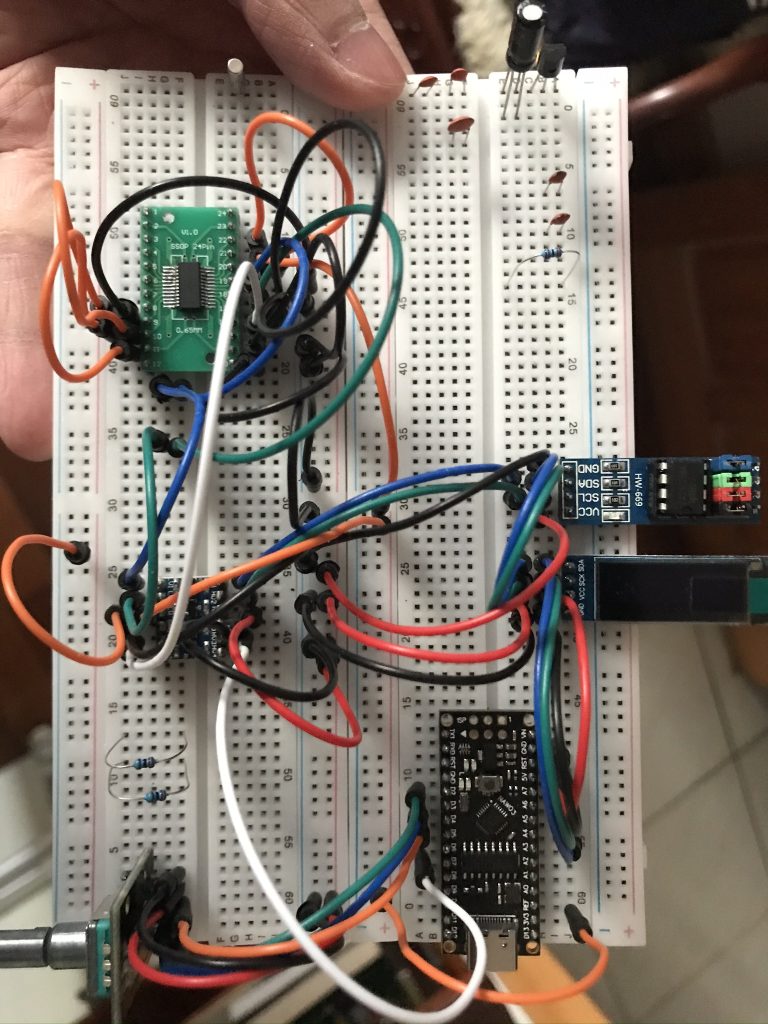
After some simple testing, I decided to challenge the so‑called SSB single sideband patch. I ran into a small pitfall. Using the pu2clr example code: https://github.com/pu2clr/SI4735/blob/master/examples/TOOLS/SI47XX_09_SAVE_SSB_PATCH_EEPROM/SI47XX_09_SAVE_SSB_PATCH_EEPROM.ino, I attempted to write the SSB patch into an AT24C256 EEPROM. However, after executing the code, the data written was incorrect. All verification reads returned 0xFF. The patch name displayed in Arduino IDE Serial Monitor was garbled, and the size showed as 65535, corresponding to FF error data.
I had already implemented EEPROM read/write in the main program to store radio states such as volume, current frequency, and step size, all working fine. So the hardware was not the issue. After carefully reading the pu2clr code, I discovered the problem:
void setup()
{
  Serial.begin(9600);
  while (!Serial)
    ;

  // Storing the patch header information
  strcpy((char *)eep.refined.patch_id, (char *)content_id);
  eep.refined.patch_size = size_content;

  showMsg("Storing the patch file..");

  showMsgText("Patch name.............: %s", eep.refined.patch_id);
  showMsgValue("Size of patch header...: %u bytes.", header_size);
  showMsgValue("Size of patch content: %u bytes.", eep.refined.patch_size);

  // !!!
  Wire.begin();

  uint32_t t1 = millis();
  eepromWritePatch();
  // Comment the line above and uncomment the line below if you want to clean your eeprom.
  // clearEeprom();
  uint32_t t2 = millis();
  showMsgValue("Finish! Elapsed time: %ul milliseconds.", t2 - t1);
  showMsg("Checking the values stored");
  checkPatch();
  showMsg("Finish");
}
If you do not call Wire.begin() beforehand, you will encounter exactly this issue. Perhaps it was just my inexperience with Arduino, but once I added the call, the patch was saved to EEPROM correctly. Returning to the main program, calling downloadPatchFromEeprom to load the SSB patch also worked normally.
博主友情提示:
如您在评论中需要提及如QQ号、电子邮件地址或其他隐私敏感信息,欢迎使用>>博主专用加密工具v3<<处理后发布,原文只有博主可以看到。