debug

One possible cause of the ‘Cannot mix incompatible Qt library with this library’ error

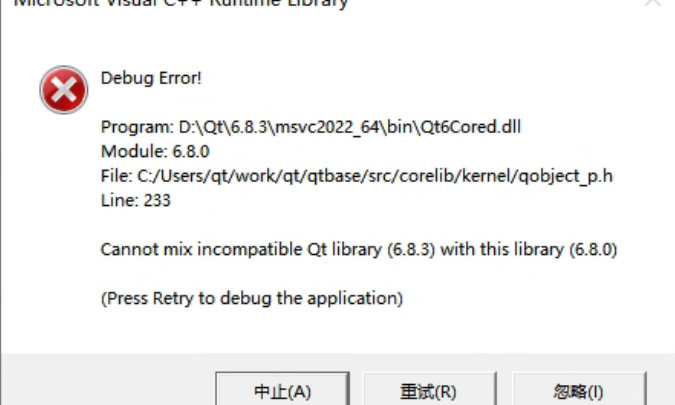
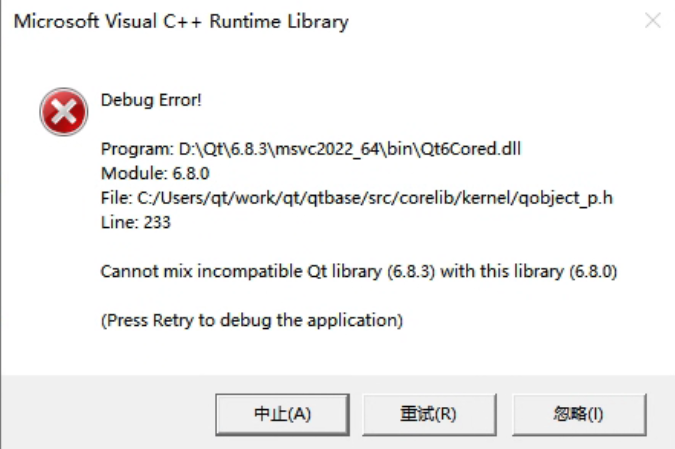
The complete error message looks like this:
Output in the debug console:

QtTest.exe (15068): Loaded 'D:\Qt\6.8.3\msvc2022_64\plugins\styles\qmodernwindowsstyled.dll'. Symbols loaded.
Cannot mix incompatible Qt library (6.8.3) with this library (6.8.0)
Debug Error!

Program: D:\Qt\6.8.3\msvc2022_64\bin\Qt6Cored.dll
Module: 6.8.0
File: C:/Users/qt/work/qt/qtbase/src/corelib/kernel/qobject_p.h
Line: 233

Cannot mix incompatible Qt library (6.8.3) with this library (6.8.0)

(Press Retry to debug the application)

This error occurred in a simple test program using QOpenGLWidget. The message clearly indicates that different versions of Qt libraries were mixed. Searching online shows many similar cases, usually caused by overlapping Qt DLL versions in the system PATH, because Qt loads many dynamic libraries as plugins. But after checking repeatedly, I confirmed that my environment did not have this issue. I only had one Qt installation, the prebuilt 6.8.3 version installed via Qt Maintenance Tool under D:\Qt\6.8.3. If I ignored the error, the program still ran correctly, but the popup was annoying, so I needed to investigate.

Continue reading…
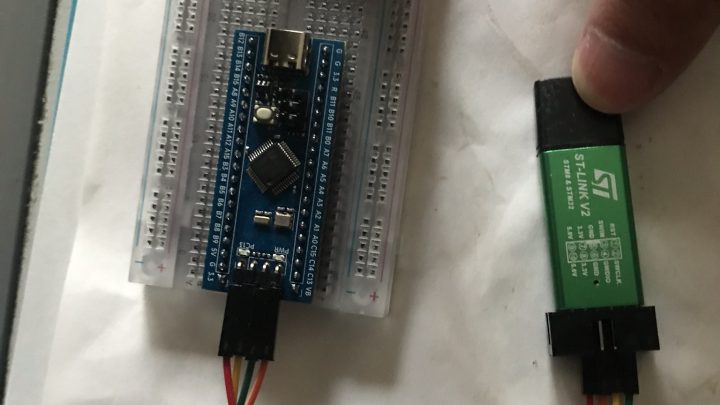
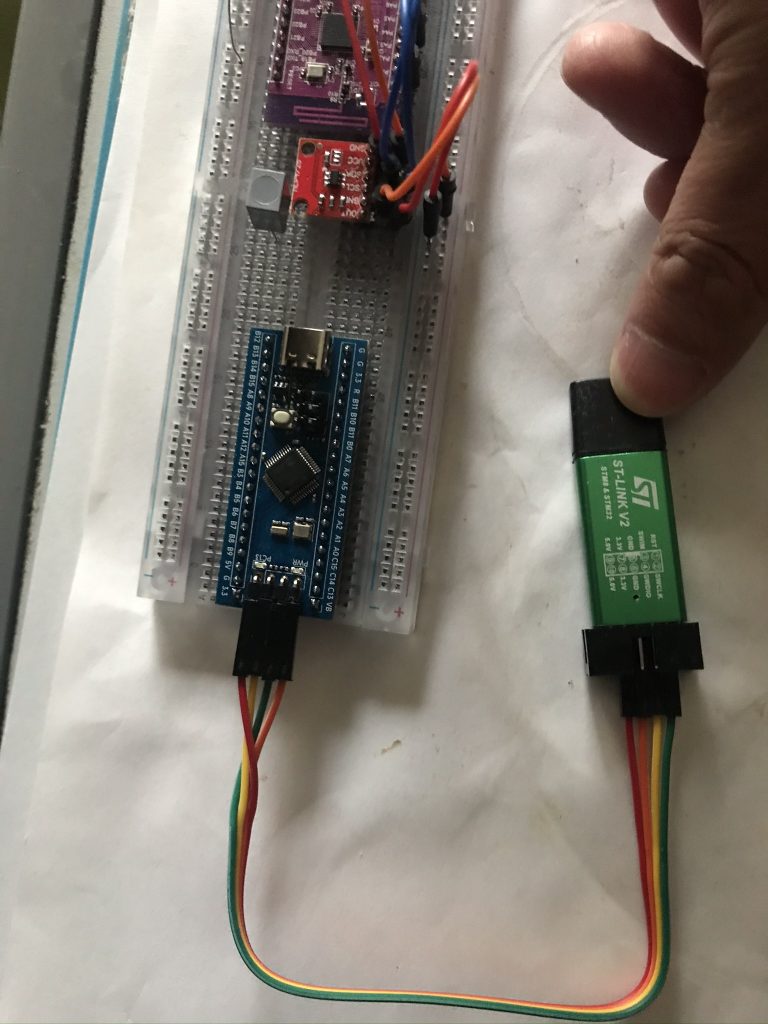
Modding a Chinese ST‑LINK V2 clone to add SWO support

Recently a colleague mentioned that Luatos Mall was running a promotion for the AIR32F103 BluePill development boardhttps://wiki.luatos.com/_static/bom/BluePill.html). At 9.9 RMB you get a board plus an extra AIR32F103CCT6 chip. I had never used STM32 MCUs before, so I picked one up to study, at least as a collectible.

After receiving it, I quickly learned from Luatos documentation and searched for STM32 beginner guides online. I discovered various ways to upload programs. Since I had previously bought an ST‑LINK V2 (originally intended for flashing firmware to a WY815P soldering station), I chose to test using ST‑LINK SWD. After soldering headers and wiring according to the silkscreen, the PC recognized the debugger with STM32 ST‑LINK Utility. I then installed the research version of Keil (v5.23 from the netdisk bundled with the ST‑LINK), added the AIR32 software library per Luatos wiki, learned GPIO basics, and successfully lit the onboard LED. At this point I realized how much simpler Arduino is 😂. Breakpoint debugging in Keil also worked. But then I hit a problem: unlike Arduino Nano, which can easily use the IDE serial monitor for logs and command‑line interaction, this setup had no simple way to view printf output. So I spent time researching.

Continue reading…

The source file is different from when the module was built.

*******************************

Source file: D:\Projects\StereoMatch\stereomatcher.cpp

Module: D:\Projects\StereoMatch\Debug\StereoMatch.exe

Process: [4024] StereoMatch.exe

The source file is different from when the module was built. Would you like the debugger to use it anyway?

*******************************

***********************************

At StereoMatcher.cpp, line 166 (‘ComputeCorrespondence()’, line 128)

The breakpoint will not currently be hit. The source code is different from the original version.

Continue reading…

FFmpeg native script building Windows debug version debugging and tracing issues

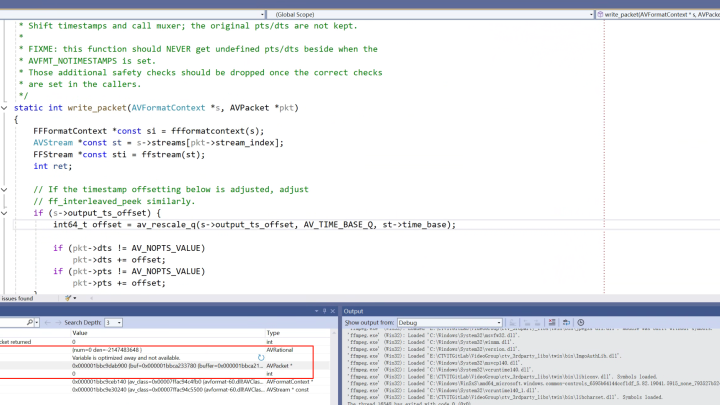
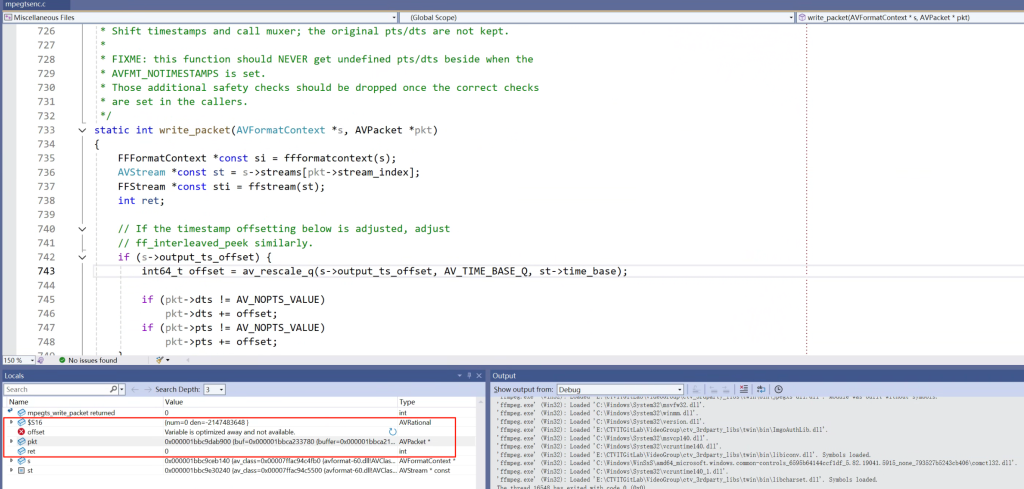
This time I want to record what feels like a rather hardcore problem. Due to the title length limit, it’s impossible to accurately express all the issues. For example, when debugging FFmpeg code with breakpoints and single‑stepping, the code does not execute in order, jumps around unpredictably, and when checking local variables near a breakpoint, their values cannot be displayed correctly, such as this:

The local variable “offset” cannot show its current value and instead displays “Variable is optimized away and not available.” From the literal meaning, we can guess that the compiler optimized the code, such as inlining and removing intermediate variables, so they can no longer be seen.

However, FFmpeg’s configure parameters for building the debug version do include:

–disable-optimizations –enable-debug –disable-stripping

These officially documented debug build parameters. So why do we still encounter all the debugging obstacles described above, which look like the result of compiler optimizations?

Continue reading…