Recently I have been learning EDA, using the open source KiCad. Basic operations are simple, but compared to EasyEDA’s web ecosystem, KiCad’s component symbols and footprints are less convenient. Fortunately I found a method to import EasyEDA PCB footprints into KiCad (borrowed from others, haha). Original post: http://www.taodudu.cc/news/show-5505674.html?action=onClick. Recording here:
When using KiCad, sometimes a footprint is missing and needs to be drawn manually. But drawing is troublesome. Instead, you can download directly from EasyEDA.
First log in to the EasyEDA web version: https://pro.lceda.cn/ and enter the standard version.

Create a new PCB file, place the footprints you want.
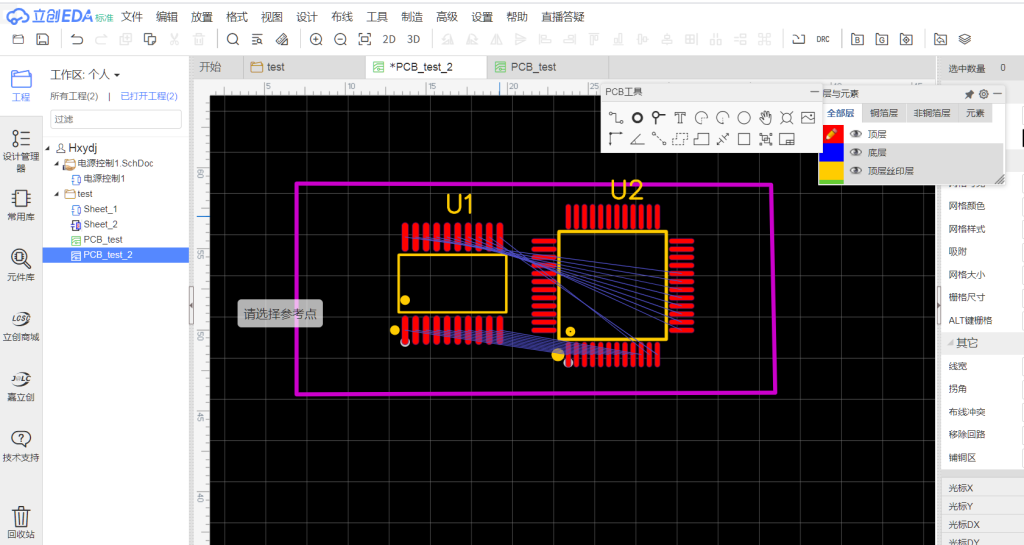
Here I placed STM8 and STM32 MCU footprints. Then choose File → Export → EasyEDA.
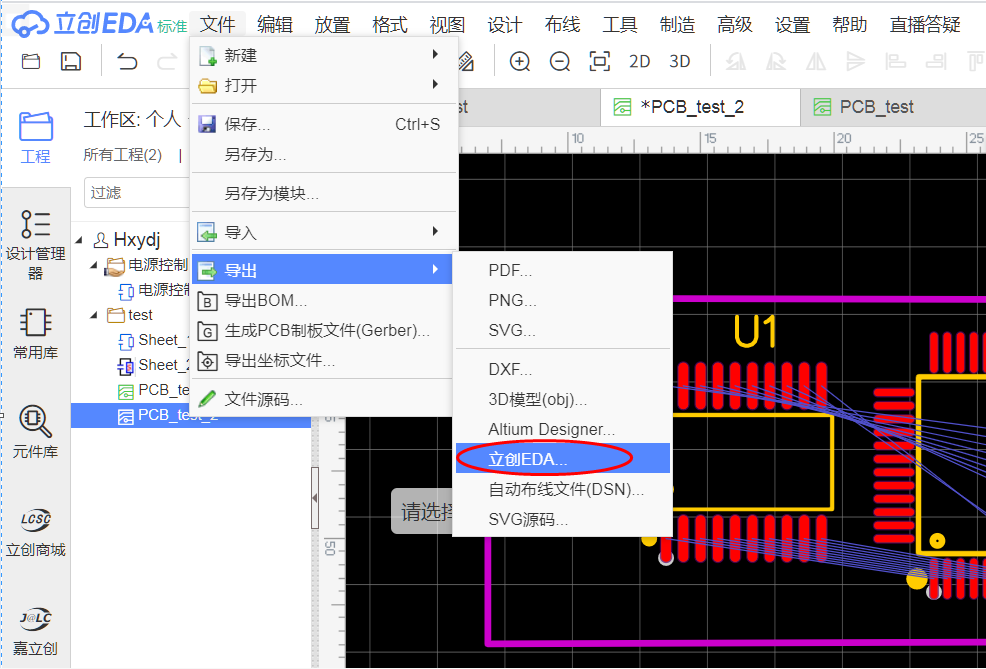
Select the storage path and filename.
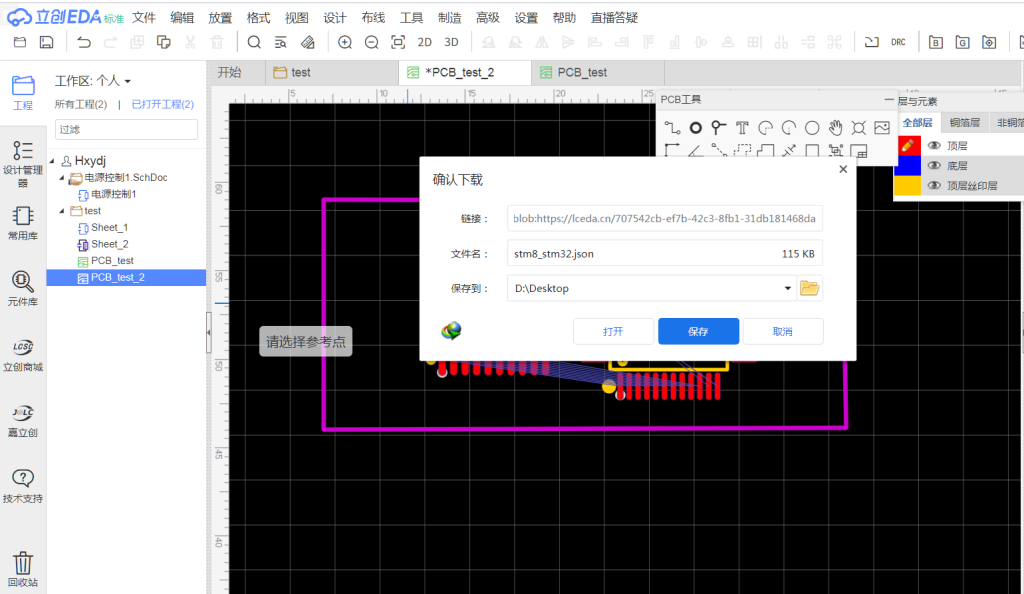
Next open the online conversion site EasyEDA Files To KiCad EDA:
https://wokwi.com/tools/easyeda2kicad
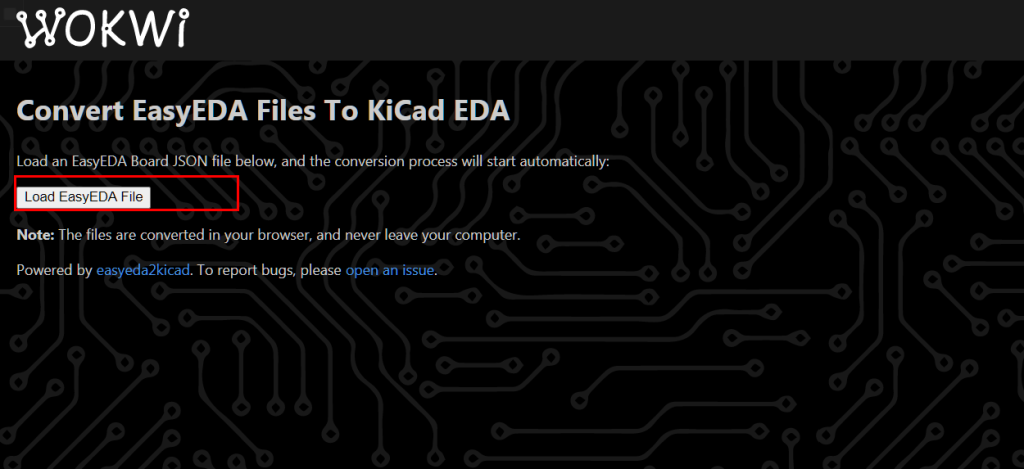
Click the upload button, upload the exported PCB file.
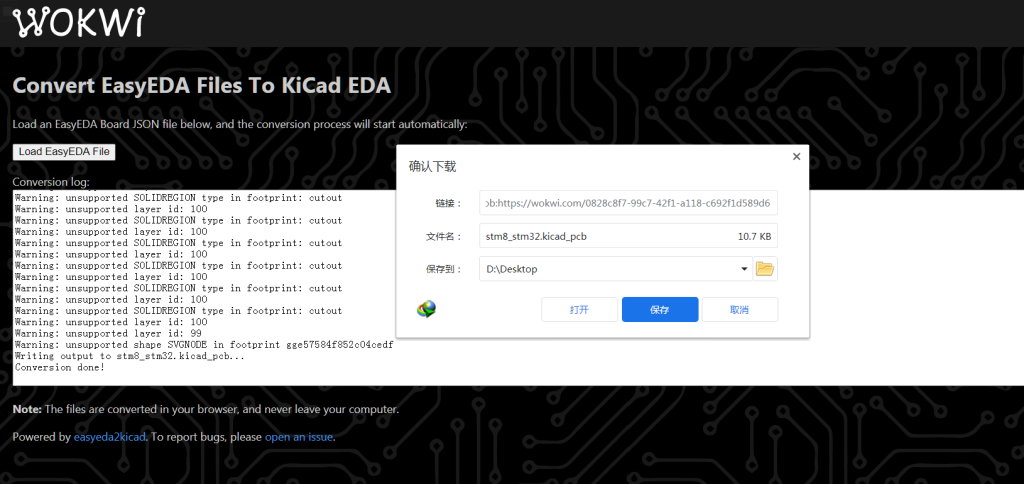
After conversion completes, a download button appears. Save the converted PCB file.
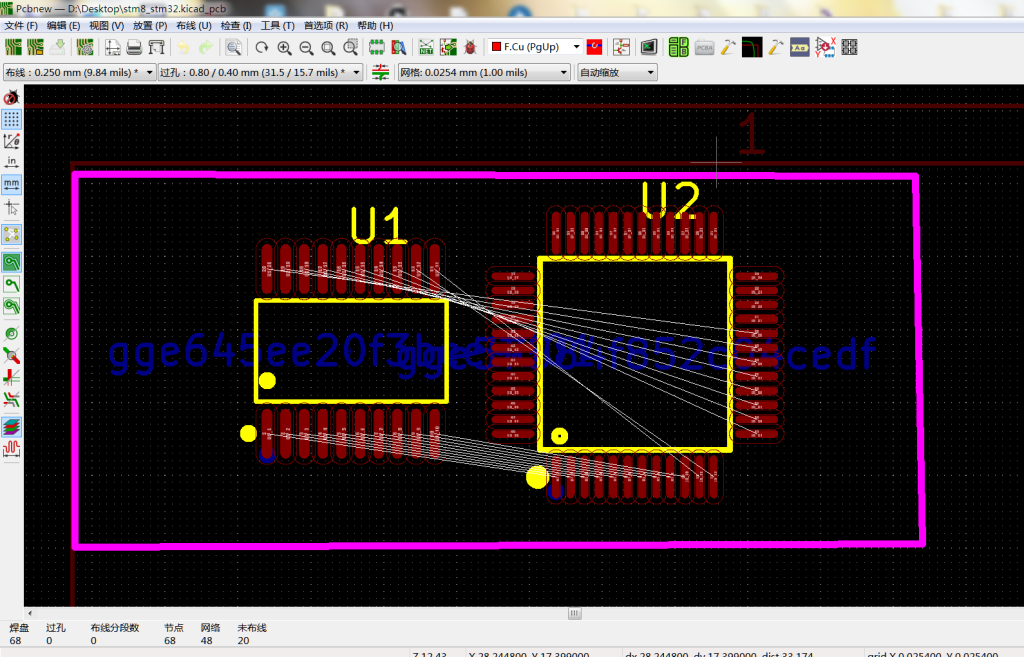
Now you can open the converted PCB file directly in KiCad. It is not directly a footprint, but you can use KiCad’s footprint export function.
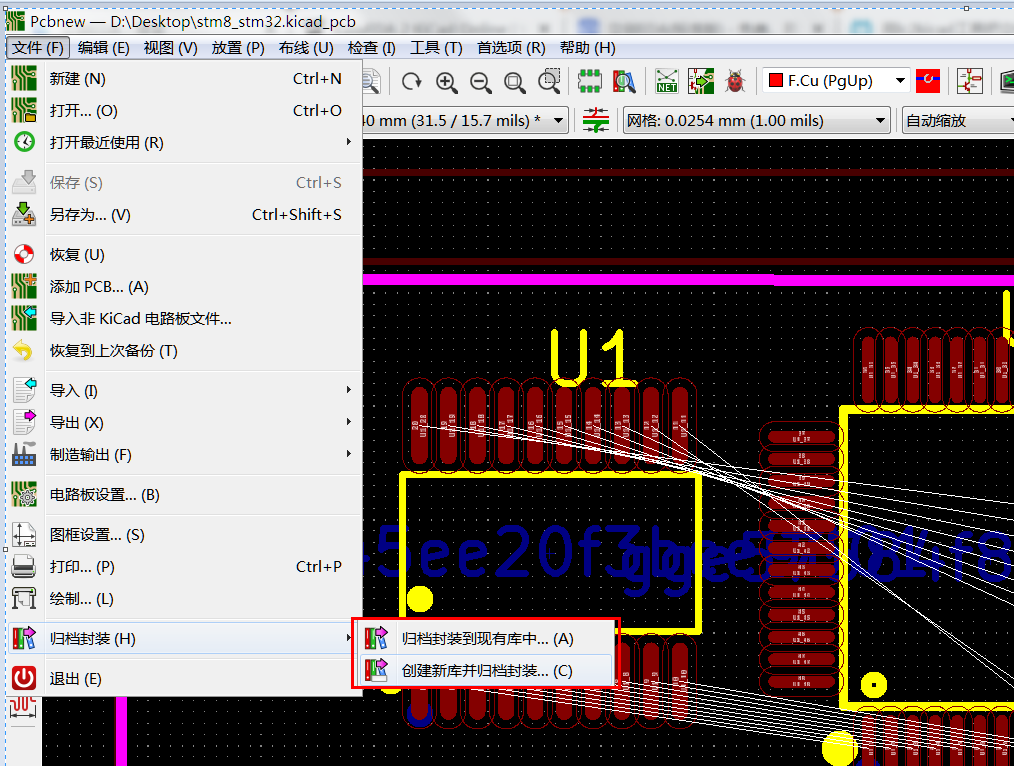
Choose File → Archive Footprints. You can archive into the current library or a new footprint library.
This way you can use EasyEDA footprints directly in KiCad.
PS: Overall the operation is simple. The key is EasyEDA Files To KiCad EDA for format conversion. After importing into KiCad you may need to adjust pad numbering, but it saves much effort compared to drawing from datasheets. From what I have learned, EDA libraries consist of three parts: symbols, footprints, and 3D models. Symbols are relatively easy to draw. Footprints can be imported from EasyEDA as recorded here. 3D models are a nice addition. I found they can also be imported from EasyEDA. I will record that later once I figure it out.
博主友情提示:
如您在评论中需要提及如QQ号、电子邮件地址或其他隐私敏感信息,欢迎使用>>博主专用加密工具v3<<处理后发布,原文只有博主可以看到。