Design & Development

The main source of fun for this blogger!

Using attribute((weak)) weak symbols in gcc compilation of dynamic library so on Linux system

First explain the code structure: there are three source files, two dynamic library so sources: lib1.c and lib2.c, each exporting one library function (gcc exports by default, unlike Windows msvc which requires explicit dllexport), and one main program source: main.c, which calls the exported functions of the two dynamic libraries, as follows:

lib1.c

#include <stdio.h>

void lib1_func(const char* from)
{
        printf("lib1 func from %s\n", from);
}

lib2.c

#include <stdio.h>

void lib2_func(const char* from)
{
        printf("lib2 func from %s\n", from);
}

main.c

#include <stdio.h>

void lib1_func(const char* from);
void lib2_func(const char* from);

int main()
{
        printf("hello from main\n");
        lib1_func("main");
        lib2_func("main");
        return 0;
}
Continue reading…

Solve the problem of garbled Compile error messages in UE4 under Chinese environment

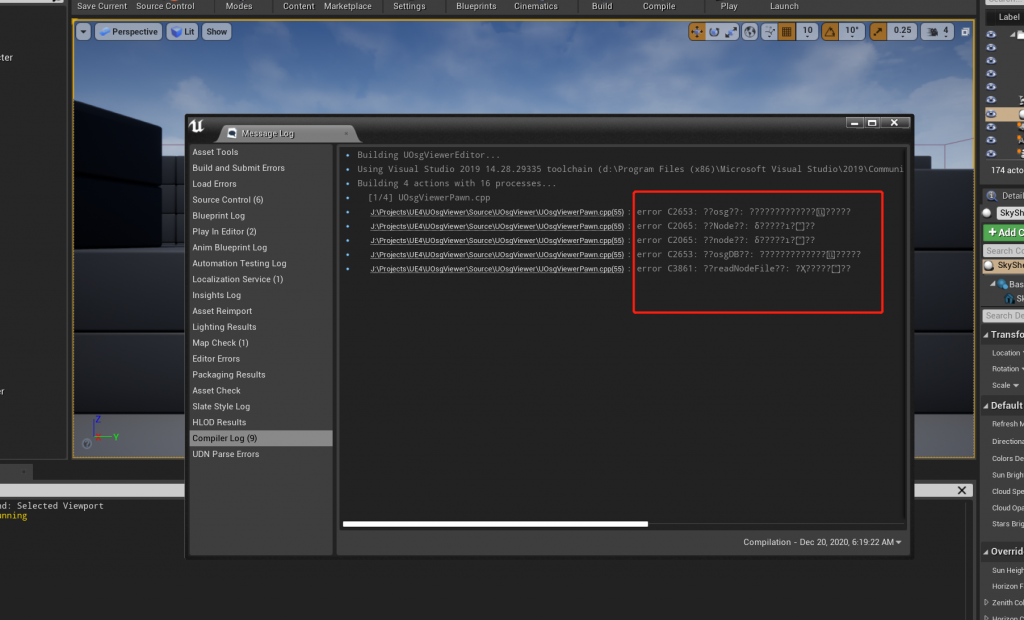
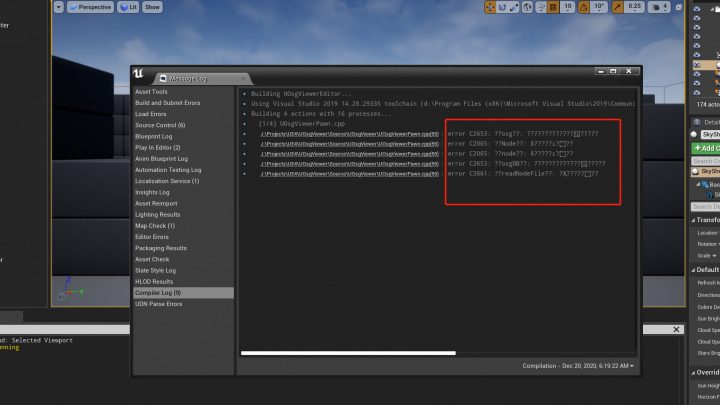
UE4 4.26.0, VS 2019 Community, and Chinese Win10 20H2 together produced the problem discussed today: when Compile errors occur, the log messages in Chinese are garbled:

I tried switching VS language to English and UE4 language to Chinese, neither worked. I recalled a previous issue: Android Studio的Build Output中文输出乱码(菱形问号)问题的解决方法, and wondered if UE4 had similar settings. After searching without success, I discovered that in newer Win10 (not sure which version first added it) there is a UTF‑8 option in regional language settings. Although in 20H2 it is still labeled beta, it indeed solves the problem:

Continue reading…

Method to compile 32bit programs on 64bit Linux CentOS 7

The method recorded here theoretically applies to all RedHat‑based Linux distributions!
Normally on 64bit Linux (after installing gcc and related tools), compiled executables target the 64bit environment. If you want to compile for 32bit (which can also run on 64bit systems), just add the -m32 option to gcc (for ld there is a corresponding -melf_i386). Although compiling only requires adding the parameter, you still need to install the 32bit versions of the C and C++ standard libraries.

For example, if you compile directly with -m32, you will get the following error:

[kres@localhost test6432]$ gcc -m32 test.c
In file included from /usr/include/features.h:399:0,
from /usr/include/unistd.h:25,
from /usr/include/usb.h:28,
from test.c:1:
/usr/include/gnu/stubs.h:7:27: fatal error: gnu/stubs-32.h:No such file or directory

# include ;
^
compilation terminated.
Continue reading…

One possible cause of the ‘Cannot mix incompatible Qt library with this library’ error

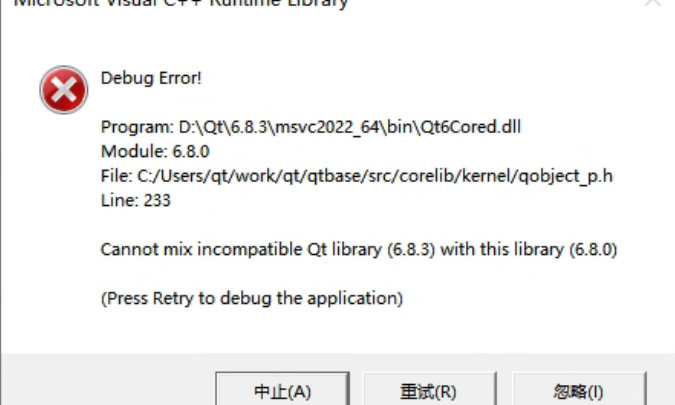
The complete error message looks like this:

Output in the debug console:

QtTest.exe (15068): Loaded 'D:\Qt\6.8.3\msvc2022_64\plugins\styles\qmodernwindowsstyled.dll'. Symbols loaded.
Cannot mix incompatible Qt library (6.8.3) with this library (6.8.0)
Debug Error!

Program: D:\Qt\6.8.3\msvc2022_64\bin\Qt6Cored.dll
Module: 6.8.0
File: C:/Users/qt/work/qt/qtbase/src/corelib/kernel/qobject_p.h
Line: 233

Cannot mix incompatible Qt library (6.8.3) with this library (6.8.0)

(Press Retry to debug the application)

This error occurred in a simple test program using QOpenGLWidget. The message clearly indicates that different versions of Qt libraries were mixed. Searching online shows many similar cases, usually caused by overlapping Qt DLL versions in the system PATH, because Qt loads many dynamic libraries as plugins. But after checking repeatedly, I confirmed that my environment did not have this issue. I only had one Qt installation, the prebuilt 6.8.3 version installed via Qt Maintenance Tool under D:\Qt\6.8.3. If I ignored the error, the program still ran correctly, but the popup was annoying, so I needed to investigate.

Continue reading…

Record of a Linux system C++ dynamic library global symbol name conflict

First, a simple description of the situation: there are three code files, one main executable and two dynamic libraries. The structure is similar to the weak symbol example:

#include <string>

std::string g_name;

void init_name_lib1()
{
    g_name = "lib1";
}

const char* get_name_lib1()
{
    return g_name.c_str();
}
#include <string>

std::string g_name;

void init_name_lib2()
{
    g_name = "lib2";
}

const char* get_name_lib2()
{
    return g_name.c_str();
}
#include <iostream>

void init_name_lib1();
void init_name_lib2();
const char* get_name_lib1();
const char* get_name_lib2();

int main()
{
    init_name_lib1();
    init_name_lib2();

    std::cout << "name from lib1: " << get_name_lib1() << std::endl;
    std::cout << "name from lib2: " << get_name_lib2() << std::endl;

    return EXIT_SUCCESS;
}
Continue reading…

About clang’s -Wweak-vtables warning

The full warning message looks like this:

warning: ‘XXX’ has no out-of-line virtual method definitions; its vtable
will be emitted in every translation unit [-Wweak-vtables]

This warning usually comes from code like:

// XXX.h中
class BaseData
{
public:
    virtual ~BaseData() = default;
    int _base_data = 0;
};

class DerivedDataA final : public BaseData
{
public:
    int _derived_data_a = 0;
};

class DerivedDataB final : public BaseData
{
public:
    int _derived_data_b = 0;
};
Continue reading…

OpenSSL EVP API MD5 implementation in C++

Most examples found online use the old API. The newer versions of OpenSSL recommend using the EVP family of interfaces, so here I am recording MD5 hash implementation code using EVP.

#include "openssl/conf.h"
#include "openssl/evp.h"
#include "openssl/err.h"
#include "openssl/engine.h"

void handle_errors()
{
	ERR_print_errors_fp(stderr);
	abort();
}

std::string md5_str(const std::string & str)
{
	const auto * md = EVP_get_digestbyname("MD5");
	if (nullptr == md)
	{
		std::cerr << "Failed to EVP_get_digestbyname MD5!" << std::endl;
		return "";
	}

	unsigned char buf[EVP_MAX_MD_SIZE] = {};
	unsigned int olen = EVP_MAX_MD_SIZE;

	EVP_MD_CTX * ctx = EVP_MD_CTX_new();
	if (nullptr == ctx)
	{
		std::cerr << "Failed to EVP_MD_CTX_new!" << std::endl;
		return "";
	}
	if (1 != EVP_DigestInit(ctx, md))
	{
		handle_errors();
		return "";
	}
	if (1 != EVP_DigestUpdate(ctx, str.data(), str.length()))
	{
		handle_errors();
		return "";
	}
	if (1 != EVP_DigestFinal(ctx, buf, &olen))
	{
		handle_errors();
		return "";
	}
	EVP_MD_CTX_free(ctx);

	return { reinterpret_cast<char*>(buf), olen };
}

int main()
{
	OpenSSL_add_all_digests();
	const std::string plain = "test1234";
	const std::string hash = md5_str(plain);
	std::cout << "plain: " << plain << " md5 hash: " << hash << std::endl;
	return EXIT_SUCCESS;
}

I will add EVP implementations for AES and others later when I have time.

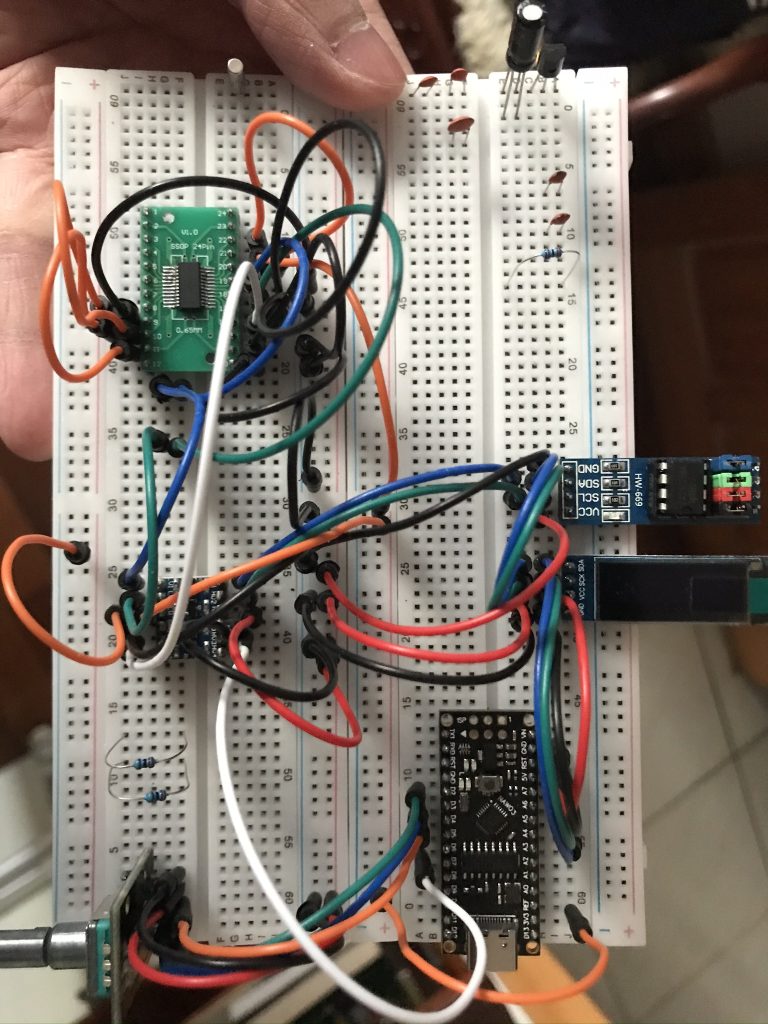
About the Si4735 SSB Patch (pu2clr open source project)

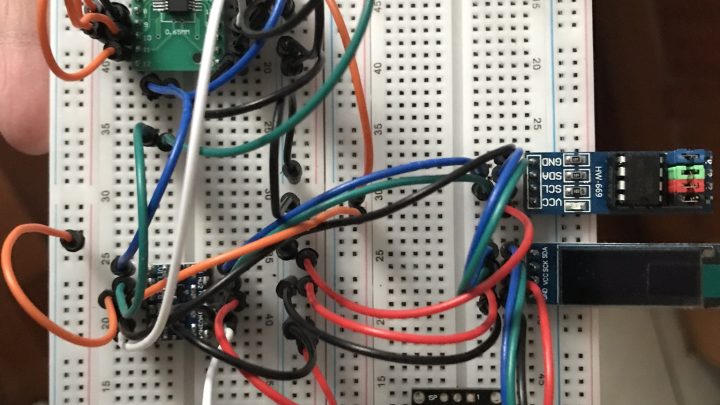
Recently I have been experimenting with building a digital radio using Arduino + Si4735 + pu2clr/SI4735. The FM functionality is basically working fine. Thanks to Ricardo Lima Caratti, the author of the pu2clr open source project, for providing such a convenient library. With correct circuit connections, the features can be implemented almost instantly.

After some simple testing, I decided to challenge the so‑called SSB single sideband patch. I ran into a small pitfall. Using the pu2clr example code: https://github.com/pu2clr/SI4735/blob/master/examples/TOOLS/SI47XX_09_SAVE_SSB_PATCH_EEPROM/SI47XX_09_SAVE_SSB_PATCH_EEPROM.ino, I attempted to write the SSB patch into an AT24C256 EEPROM. However, after executing the code, the data written was incorrect. All verification reads returned 0xFF. The patch name displayed in Arduino IDE Serial Monitor was garbled, and the size showed as 65535, corresponding to FF error data.

Continue reading…

The source file is different from when the module was built.

*******************************

Source file: D:\Projects\StereoMatch\stereomatcher.cpp

Module: D:\Projects\StereoMatch\Debug\StereoMatch.exe

Process: [4024] StereoMatch.exe

The source file is different from when the module was built. Would you like the debugger to use it anyway?

*******************************

***********************************

At StereoMatcher.cpp, line 166 (‘ComputeCorrespondence()’, line 128)

The breakpoint will not currently be hit. The source code is different from the original version.

Continue reading…

W801 (W80X_SDK_v1.00.10) https request mbedtls error 0x7780 issue and solution record

The issue started when I wanted to use the W801 to detect a GPIO level change and then send a bot notification message through Telegram. However, when calling my own Telegram API reverse proxy (caddy v2.6.4 h1:2hwYqiRwk1tf3VruhMpLcYTg+11fCdr8S3jhNAdnPy8=), the serial log showed the SSL handshake error 0x7780 mentioned in the title.

The code was directly copied from the SDK example demo wm_https_demo.c. The error occurred during the handshake, specifically when calling HTTPWrapperSSLConnect, as shown:

wm_printf("step 1: ssl connect to...\r\n");
ret = HTTPWrapperSSLConnect(&ssl_p, fd, (const struct sockaddr *)&server, sizeof(server), HTTPS_DEMO_SERVER);
if (ret < 0)
{
    wm_printf("https connect error\r\n");
    close(fd);
    break;
}

At first, the serial output only showed step 1: ssl connect to…, then immediately the 0x7780 error, followed by https connect error and request failure. After studying the mbedtls library used internally, I found that more detailed debug logs were available. You need to enable the macro define MBEDTLS_DEBUG_C in SDK src/app/mbedtls/include/mbedtls/config.h (and make sure the makefile project rebuilds the lib target. If using my previous CLion IDE setup, select the lib configuration and rebuild). After enabling it, you can see error messages similar to those mentioned here: https://forums.mbed.com/t/error-0x7780-during-handshake/6883

Continue reading…