ps2

A deeper look into the issue of PS2 failing to recognize certain PS1 memory cards

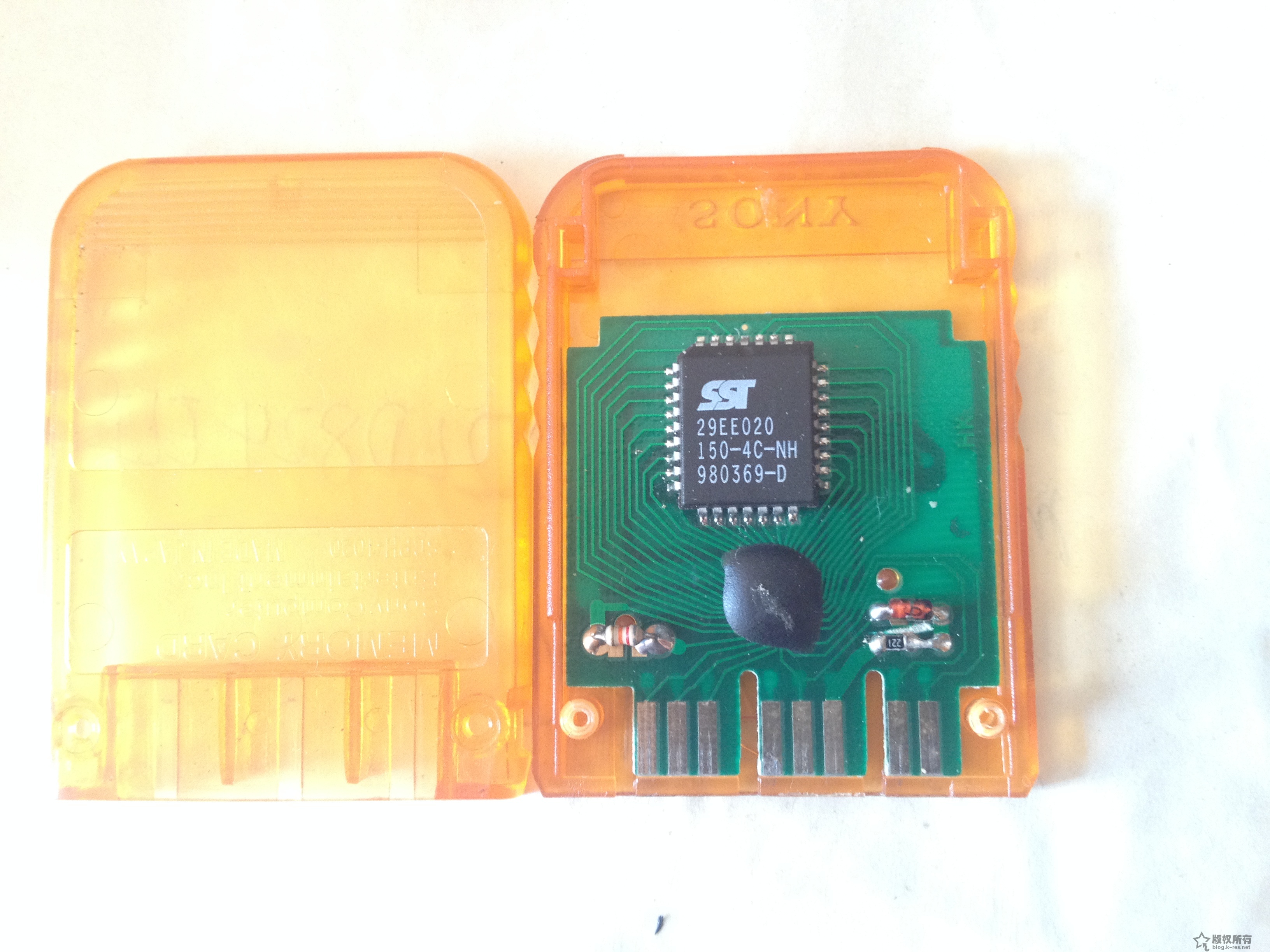
After installing the 816HD mod chip on my long‑unused PS2, the console essentially reached the 230 BIOS 9W perfect state. PS1 games were also fully supported (so far I have not seen any functional impact from the two‑reset behavior). Naturally, when replaying classic PS1 titles, saving is essential, so I dug out my PS1 memory card that had been stored for 15 years (I used it back in arcade shops):
IMG_0744
When I inserted it into the PS2, the browser could not recognize it. Searching online, I found many forum discussions about this issue. In short, PS2 has poor compatibility with PS1 memory cards, especially assembled or off‑brand cards (mine is clearly a cheap clone using the so‑called ‘cow dung’ chip). Some users even reported the opposite: clone cards work but original Sony cards do not. Others mentioned that Sony’s PocketStation, which has an LCD screen, works 100% reliably. I also saw sellers on Taobao offering PS1 original cards claiming full PS2 compatibility.

Just when I was about to buy an original PS1 card, I discovered something surprising: although my old clone card could not be recognized in the PS2 memory card management screen, once I booted into a PS1 game, the card was recognized. It showed messages like ‘memory card full’ or ‘no usable save data’. This suggested the card was not broken, but simply suffering from a compatibility issue.

Later, while playing a Chinese‑translated Japanese version of Resident Evil 3, I found an old save file on the card. Loading worked normally, and saving (overwriting) also worked. So the card functions perfectly during PS1 mode on the PS2, even though the PS2’s memory card manager (and tools like uLaunchElf) cannot detect it.
Continue reading…

PS2 DS2 H controller 760020 board BU6370AK main chip conductive film replacement and repair

A friend had two H controllers. One was severely damaged: all buttons except the left and right sticks, L3, and R3 were nonfunctional (because years ago it was soaked in cola…). The other had L1, L2, and D-pad up and left failing, while the rest worked normally. Opening them up:

IMG_0756 IMG_0755
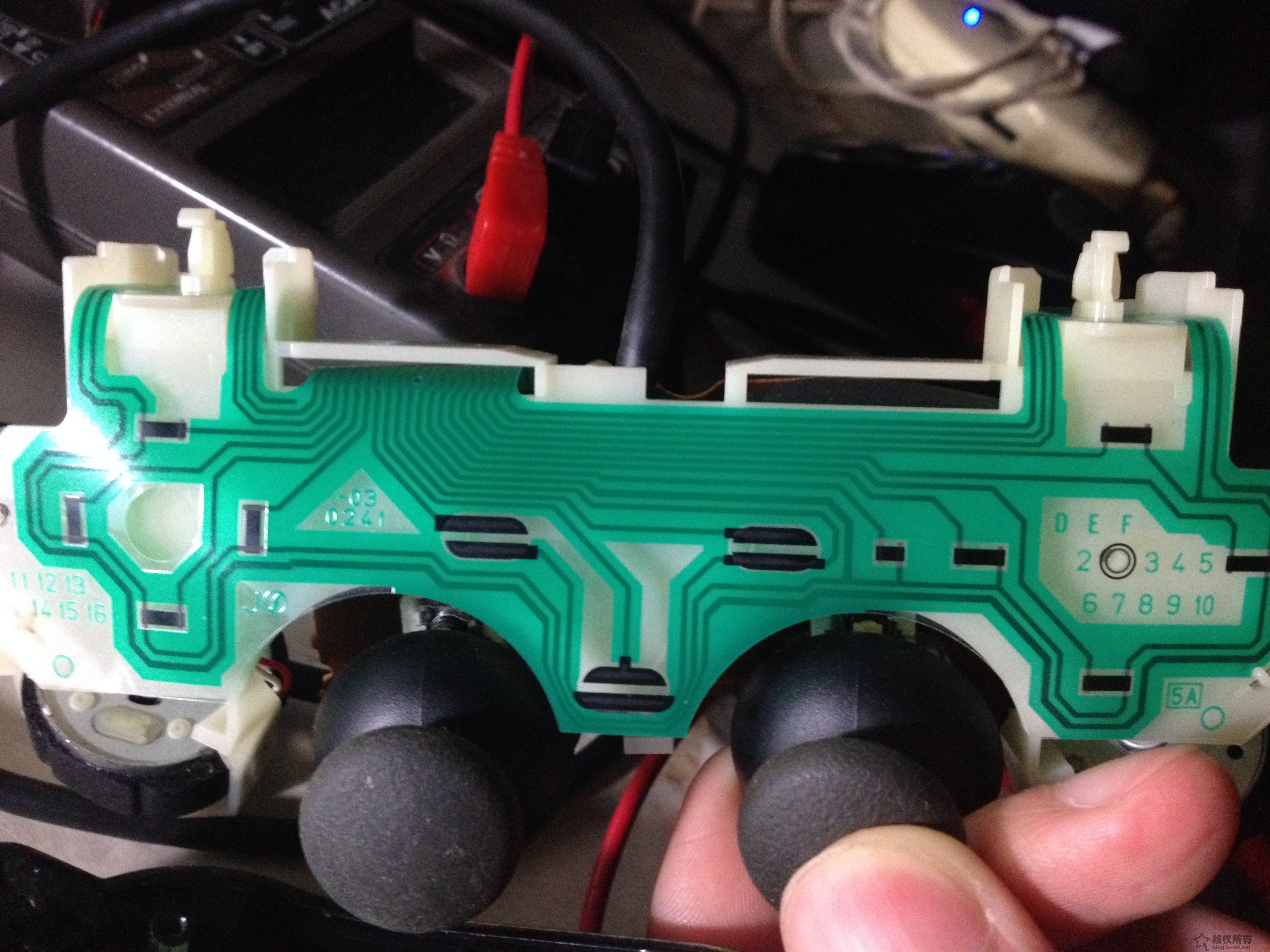
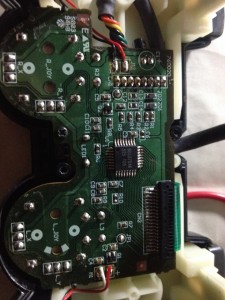
The back cover showed it was an H controller, with the board marked 760020 in white at the top left. This is the second version of the H controller. The conductive film under the button pads was marked 03-0241. On Taobao I found similar films for about 2 RMB each. Observing the connection between the board and the conductive film, I confirmed that the film connector and socket are integrated, with the socket pins soldered directly to the PCB. Comparing with my A controller, its conductive film is pressed directly onto the PCB. Taobao did not sell the original socket type film, but luckily one seller offered a similar 19-pin pluggable socket.
Looking at the PCB traces and referencing information that PS2 DS2 controllers support pressure sensitivity, the conductive film carbon contacts change resistance depending on button pressure, which the BU6370AK main chip converts into digital signals for the console. Examining the film traces, I saw that except for Select, Start, and Analog buttons, all carbon contacts shared one common line, corresponding to pin 9 from the left. Using a multimeter with one probe on pin 9 and the other on each button pin, pressing a button showed resistance changes from 0 to several kΩ (tested on the partially working controller). On the faulty buttons, it was open circuit. Comparing traces, L1, L2, D-pad up, and left corresponded to the leftmost pins, while D-pad down (which worked) was the next pin after left. So I concluded those four buttons had broken traces on the film. The other controller was worse: all buttons failed, only the analog sticks worked. Despite the cola damage, the main chip seemed fine. So I ordered replacement films and sockets from Taobao.

Continue reading…