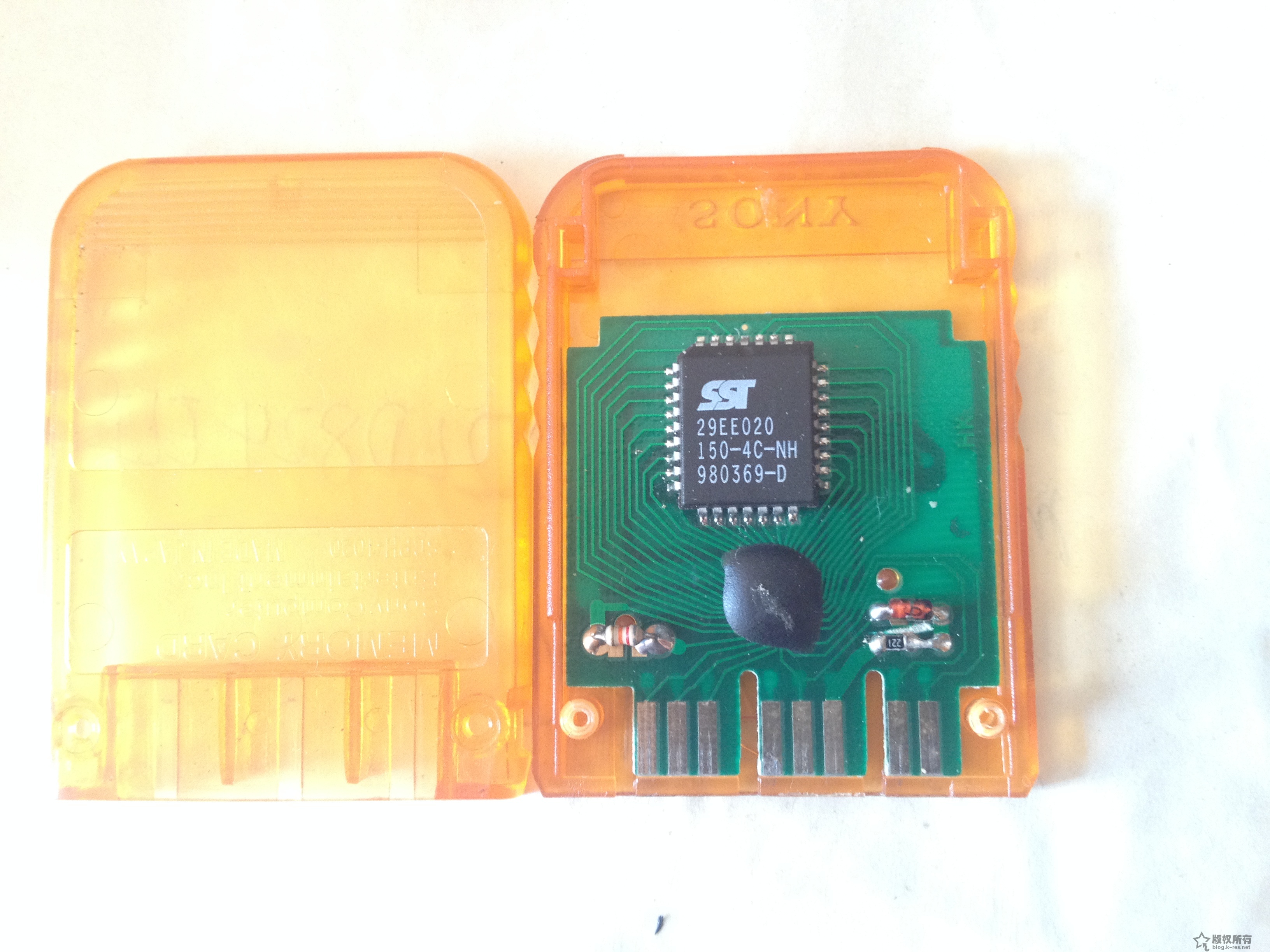
After installing the 816HD mod chip on my long‑unused PS2, the console essentially reached the 230 BIOS 9W perfect state. PS1 games were also fully supported (so far I have not seen any functional impact from the two‑reset behavior). Naturally, when replaying classic PS1 titles, saving is essential, so I dug out my PS1 memory card that had been stored for 15 years (I used it back in arcade shops):
When I inserted it into the PS2, the browser could not recognize it. Searching online, I found many forum discussions about this issue. In short, PS2 has poor compatibility with PS1 memory cards, especially assembled or off‑brand cards (mine is clearly a cheap clone using the so‑called ‘cow dung’ chip). Some users even reported the opposite: clone cards work but original Sony cards do not. Others mentioned that Sony’s PocketStation, which has an LCD screen, works 100% reliably. I also saw sellers on Taobao offering PS1 original cards claiming full PS2 compatibility.
Just when I was about to buy an original PS1 card, I discovered something surprising: although my old clone card could not be recognized in the PS2 memory card management screen, once I booted into a PS1 game, the card was recognized. It showed messages like ‘memory card full’ or ‘no usable save data’. This suggested the card was not broken, but simply suffering from a compatibility issue.
Later, while playing a Chinese‑translated Japanese version of Resident Evil 3, I found an old save file on the card. Loading worked normally, and saving (overwriting) also worked. So the card functions perfectly during PS1 mode on the PS2, even though the PS2’s memory card manager (and tools like uLaunchElf) cannot detect it.