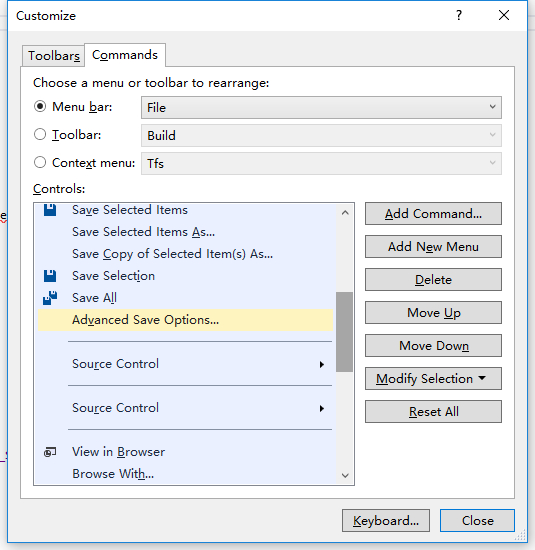
In older versions of VS, the File menu had an item called Advanced Save Options, which allowed choosing the text encoding format of source files. After upgrading to 2017 (fresh installation with all default settings), I found this option was gone (Community edition)!
Actually it is just hidden by default, but you can bring it back through the Customize menu function:
Go to Tools → Customize… → Commands → Menu Bar: File → Add Command → File → Advanced Save Options…, then drag it to the position you prefer!
I feel this option should be quite commonly used, so I do not know why it is hidden by default.