Recently I noticed that the Proxmox VE 7 management page started showing red text about support expiration (officially ending July 2024). So I upgraded to version 8. Before starting I carefully read the official upgrade guide: https://pve.proxmox.com/wiki/Upgrade_from_7_to_8. It describes two methods:
One is a fresh install of 8, then migrating disks and VMs via backup/restore. The other is an in‑place upgrade using apt update/upgrade. The first is safer but requires two servers or identical disk setups. The second carries more risk, since any problem interrupts VM services and may require reinstall and restore. For me, only the in‑place upgrade was possible due to limited hardware.
Despite preparation, the upgrade process was bumpy. The biggest issue was the networking.service/start hang. After the upgrade completed, rebooting the system resulted in a freeze at this state:
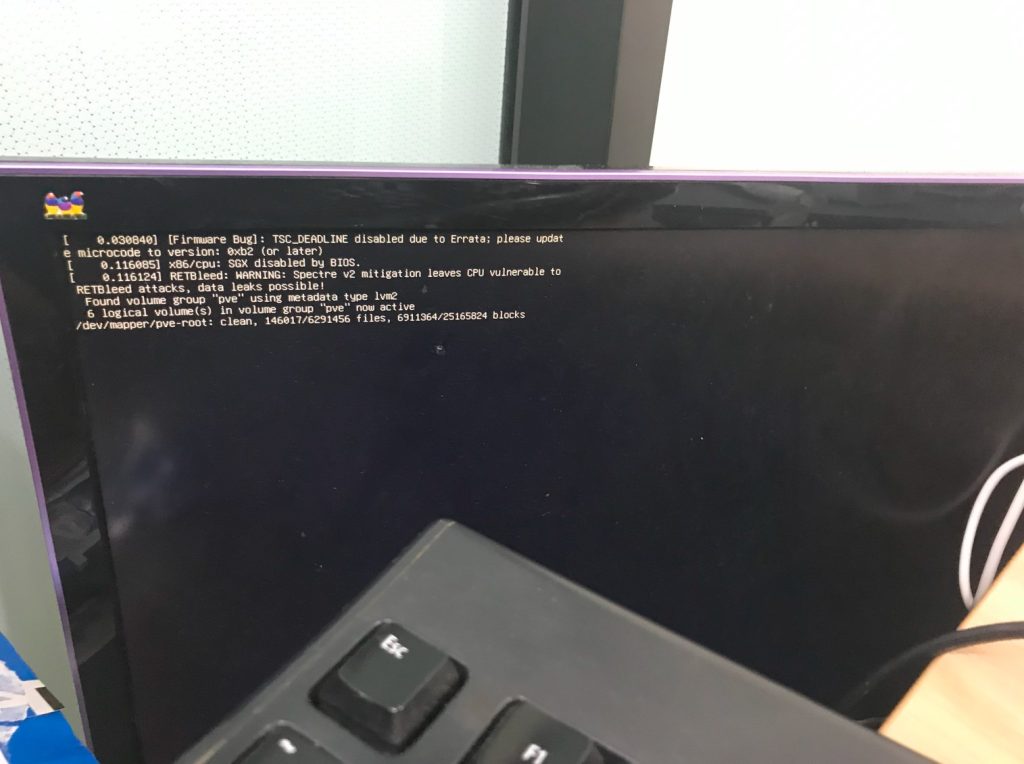
At first I waited, but the disk activity light stayed off, so I realized something was wrong. Searching online showed many people with similar problems. This post explained the underlying issue: “Job networking.service/start running”
Following the advice, pressing “e” at the grub menu and removing ‘quiet’ revealed the endless timer and hang. With that information, I found the official bug: https://bugzilla.proxmox.com/show_bug.cgi?id=5009. It described an NTP service change during upgrade causing the network not to come up. Also these links:
https://thesoloadmin.com/proxmox-8-0-hang-on-boot-fix
https://forum.proxmox.com/threads/proxmox-stuck-in-dev-mapper-pve-root-clean.154567
https://forum.proxmox.com/threads/proxmox-rescue-disk-trouble.127585/#post-557888
https://forum.proxmox.com/threads/boot-hangs-after-upgrade-to-proxmox-8.131242
The workaround was to boot into recovery mode and edit
/etc/network/if-up.d/ntpsec-ntpdate.But I could not successfully enter a state to modify the system disk. Grub had no recovery option, and using an 8.2 install USB with rescue boot still hung. I nearly gave up and considered reinstalling, until I found this page: https://pve.proxmox.com/wiki/Recover_From_Grub_Failure. Like most Linux systems, the method is to boot another temporary system, mount the original disk, and fix it. The key is: after booting from the install media, do not choose rescue boot. Instead, under advanced options, select ‘Install Proxmox VE (Terminal UI, Debug Mode)‘. Initially the disks are read-only, so run exit once, then:
vgscan
vgchange -ay
mkdir /media/RESCUE
mount /dev/pve/root /media/RESCUE/
The vg commands activate /dev/pve/root. After mounting, the original system partition is accessible under /media/RESCUE/.
Then came another surprise. In /etc/network/if-up.d there was no ntpsec-ntpdate script. That bug had already been fixed in 8.2. So the cause must be different. Since the network service was hanging, I checked the interfaces file:
# network interface settings; autogenerated
# Please do NOT modify this file directly, unless you know what
# you're doing.
#
# If you want to manage parts of the network configuration manually,
# please utilize the 'source' or 'source-directory' directives to do
# so.
# PVE will preserve these directives, but will NOT read its network
# configuration from sourced files, so do not attempt to move any of
# the PVE managed interfaces into external files!

auto lo
iface lo inet loopback

iface enp1s0 inet manual

auto vmbr0
iface vmbr0 inet dhcp
        bridge-ports enp1s0
        bridge-stp off
        bridge-fd 0

iface vmbr0 inet6 static
       address 2408:8210:3e:e1a0:4ecc:6aff:fe87:eb4c/128
       gateway fe80::1
I realized the previous server environment had IPv6 with a static address. Later I moved to a network without IPv6, but the configuration was unchanged. That mismatch was likely the problem. I commented out the last three lines starting with inet6, rebooted, and the issue was resolved. The system booted normally and upgraded successfully to PVE 8.2.7.
In summary: after upgrading from 7 to 8, networking.service/start hang may not be the old NTP bug, but instead invalid IPv6 configuration in a new environment. Commenting out the IPv6 lines in interfaces fixed the problem.
博主友情提示:
如您在评论中需要提及如QQ号、电子邮件地址或其他隐私敏感信息,欢迎使用>>博主专用加密工具v3<<处理后发布,原文只有博主可以看到。