This Cherry keyboard was bought by the blogger in April 2022 during a flash sale on JD.com, a red‑switch RGB keyboard, and has been used at the office ever since. In today’s era of domestic mechanical keyboards flooding the market, the MX2.0S doesn’t seem to have much special apart from the “Cherry” name. However, after using it for years I still feel it’s quite good, especially the layout. The shortcut keys in the upper right corner—calculator, media play, previous track, next track—are very practical. By comparison, the layout of the Durgod K310 RGB at home (which I bought earlier than the Cherry) is not as convenient.
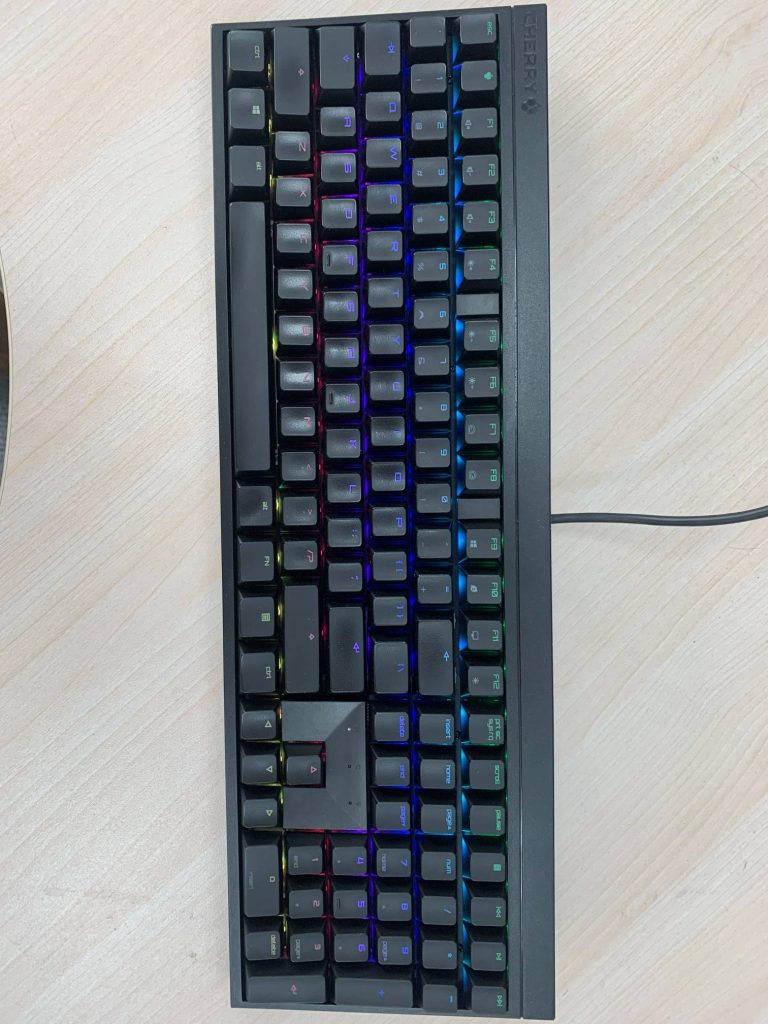
Recently I noticed that the backlight of the PAUSE, PAGE UP, and C keys stayed constantly red. At first I thought it was a misconfigured lighting effect, so I tried installing the driver (yes, I had never installed Cherry’s driver in all these years), and also tried FN+PAUSE reset. None of this worked, so I realized it might be a hardware fault (the photo below is blurry but you can barely see the three keys stuck on red 😂).

On April 26, 2026, another group of LEDs showed the same fault, so I added a clearer photo of the symptom (the durability of MX2.0S LEDs is really poor):
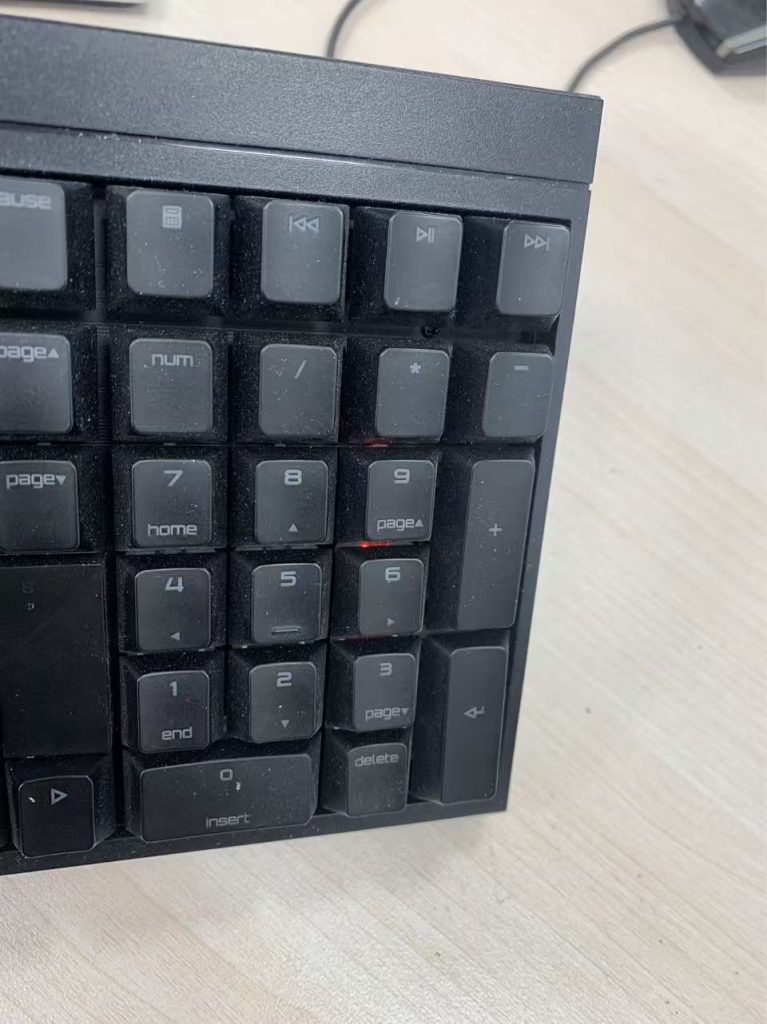
During the October holiday, I took the keyboard home to disassemble and study it (and cleaned it up—after 3 years the ABS keycaps of frequently used keys are shiny with wear, and the inside was full of “treasures” accumulated over the years 😂).
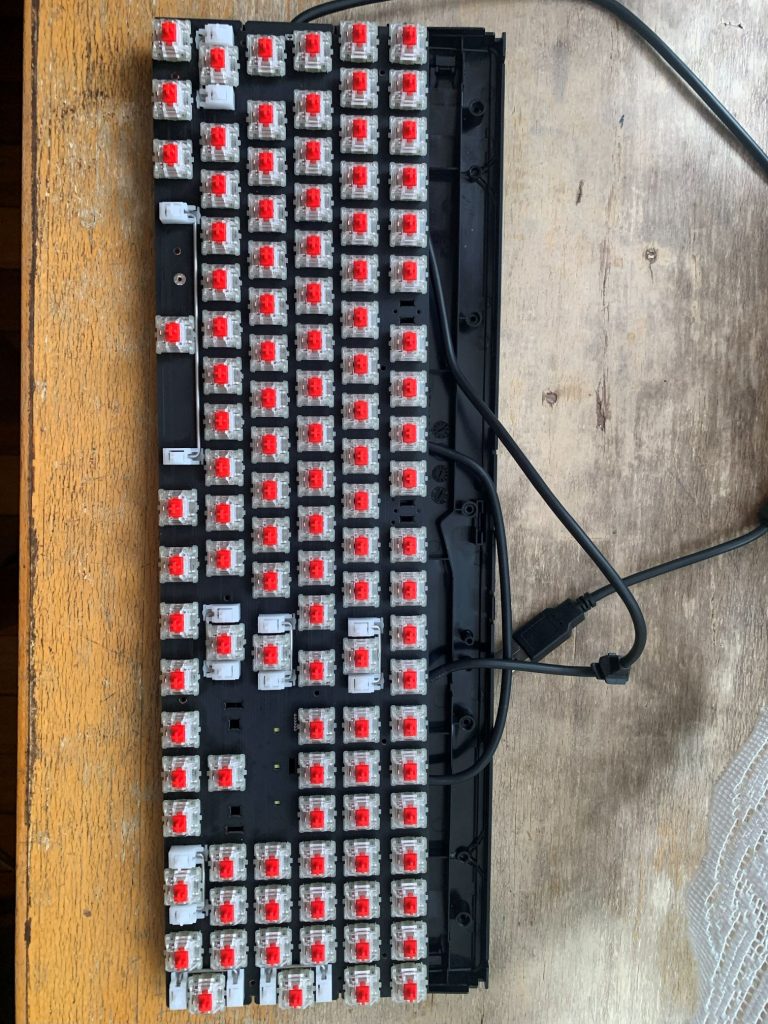
Disassembling the case took some effort and detours. I referred to several MX2.0S teardown guides and videos online (mostly non‑RGB or tri‑mode versions, but similar enough). In hindsight, the correct order should be: remove all keycaps, unscrew the backplate, pry open the frame on the spacebar side (held by clips with some strength, so don’t force it), then release the two side frames, and finally the F1–F10 side can be removed. In short, don’t yank it or cause damage.
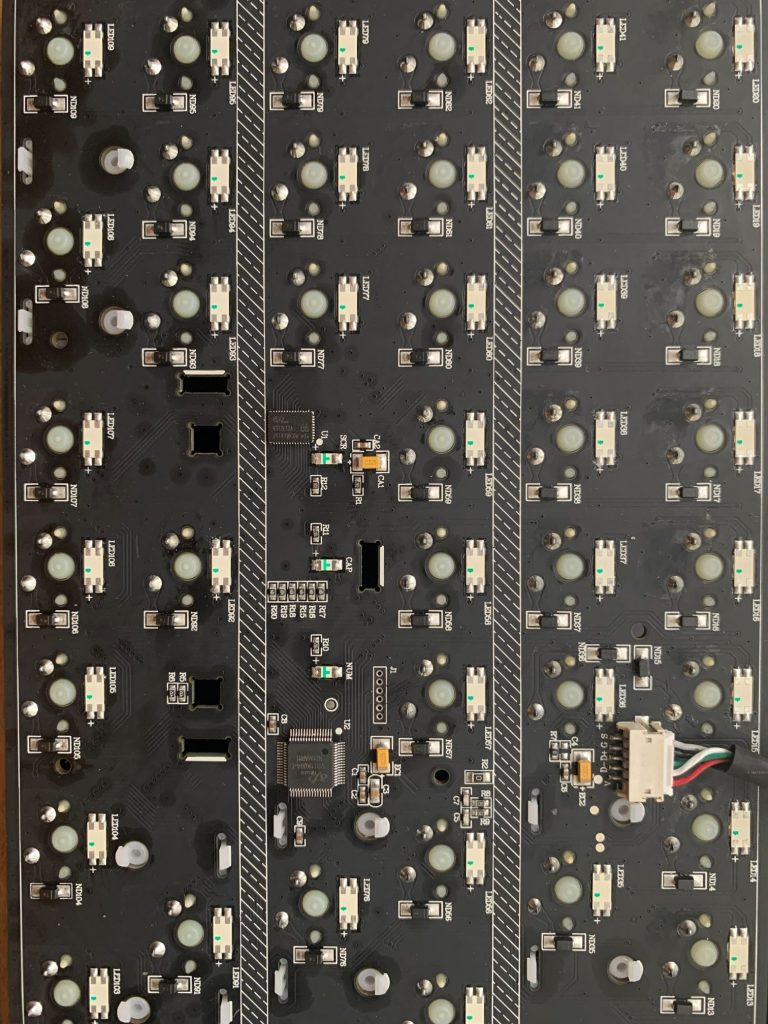
After opening the case and unscrewing the PCB, the board comes out. I observed that the main controller is VS11K09A‑1 paired with three VS12L12A RGB driver ICs, handling the key matrix, RGB matrix, and logic control. Looking up these chips, I found they are made by a domestic company: http://www.eevision.com/. I felt both proud and a bit conflicted. I downloaded the datasheets and understood the basic RGB principle. Measuring with a multimeter, the LEDs are 4‑pin common‑anode reverse‑mount RGB. Searching for “5628 reverse‑mount LED” on Taobao shows sellers offering replacements (many even label them as suitable for MX2.0S).
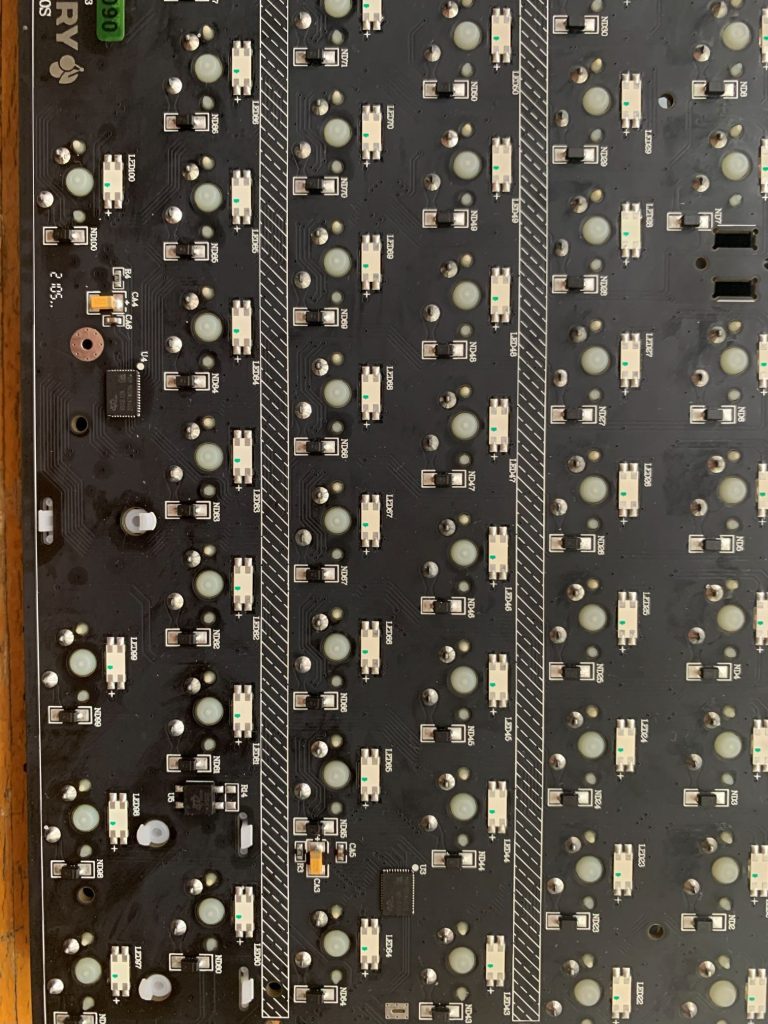
Next came troubleshooting. Using continuity mode on the multimeter, I found that the faulty three keys share the same matrix line on the anode, and their anode voltage was higher than normal LEDs. This explains why the three keys failed together and why they lit red (red LED has lower forward voltage, so the raised anode voltage caused red to light). Then I used my long‑unused oscilloscope to observe the PWM waveform:
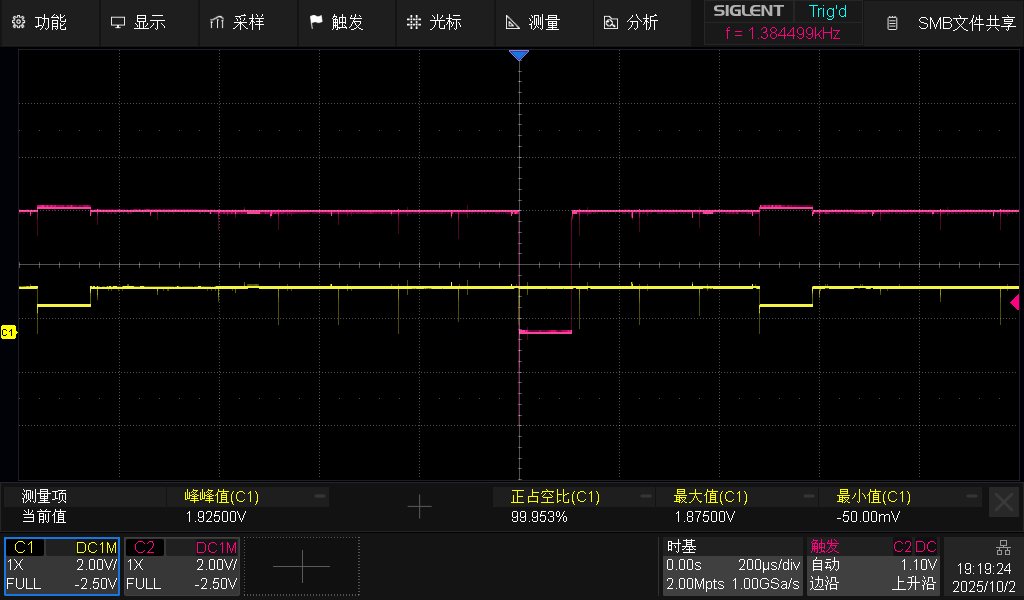
This is the faulty group’s waveform: yellow is the anode, purple is the red cathode. The anode peaks at about 1.87V. Below is the waveform of a normal LED:
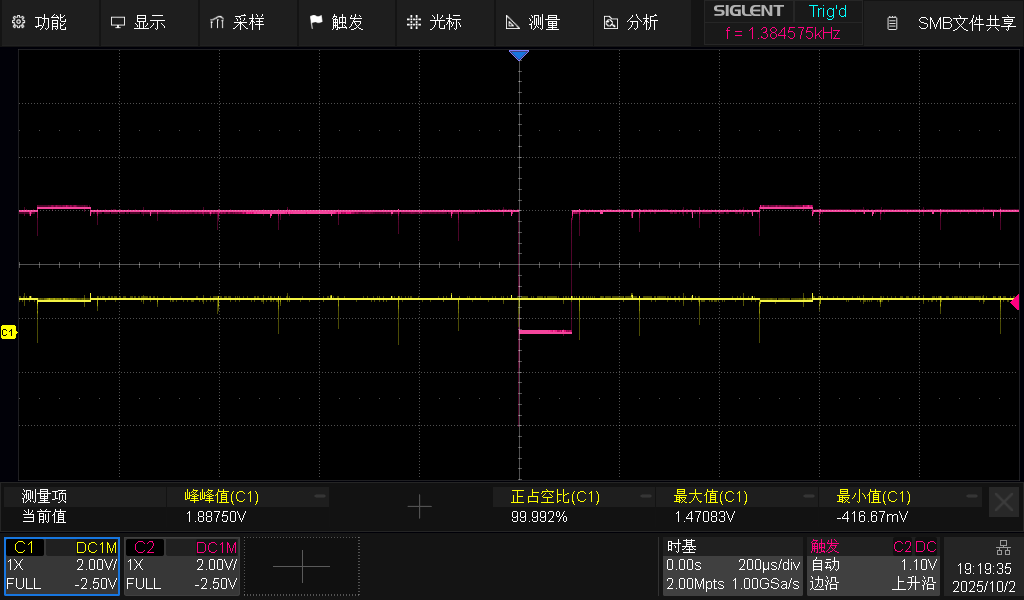
Here the anode peaks at about 1.47V. In this case, when the red cathode PWM is low, the LED does not light red. But in the faulty group, the higher anode voltage causes red to light (at low brightness depending on duty cycle).
I also observed the waveform of a normal LED when pressing a key to trigger RGB effects:
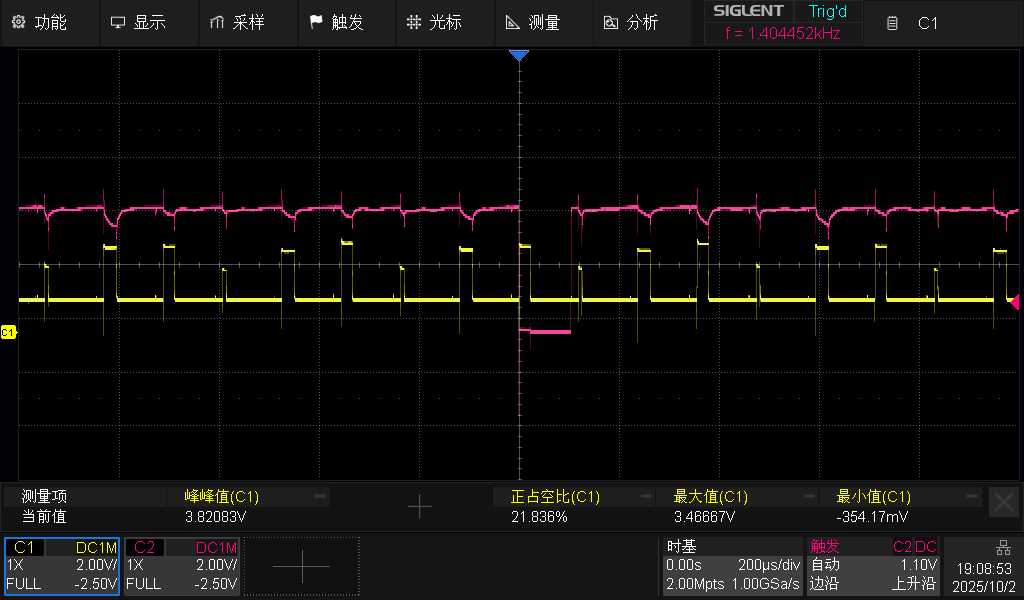
Combining the oscilloscope results confirmed the diagnosis. The fault must be either one or more LEDs failing, or the control IC for those keys failing (I even asked ChatGPT 🤣). Since I’ve always used the keyboard carefully and never spilled drinks on it, I judged the LEDs themselves were faulty. So I began removing LEDs. First I tried PAUSE: heating the four pins alternately with the soldering iron, it loosened quickly, I lifted it out with tweezers, powered on, no change. Next I tried the C key, same method, powered on—BINGO! The PAGE UP key’s lighting returned to normal. Testing the two removed LEDs with the multimeter diode mode: the first one was fine, all RGB lit normally. The second one had R and G normal, but B was dim and flickering. So the root cause was the C key’s LED blue channel damaged, leaking current and raising the anode voltage of the whole line, which triggered red on three keys.
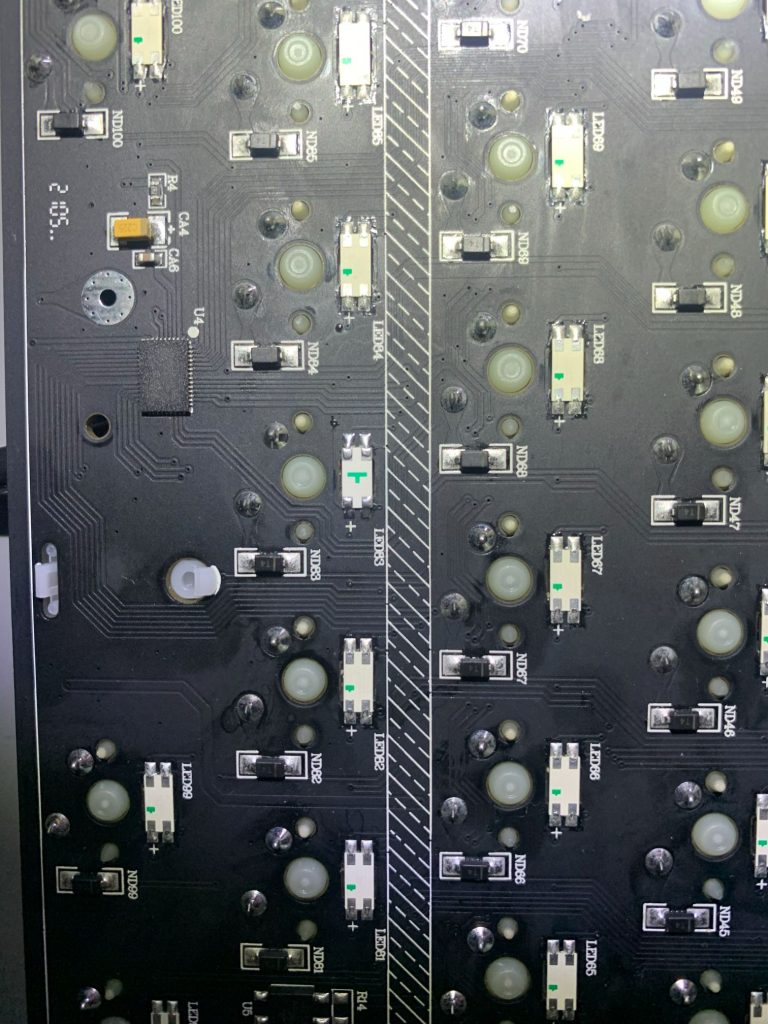
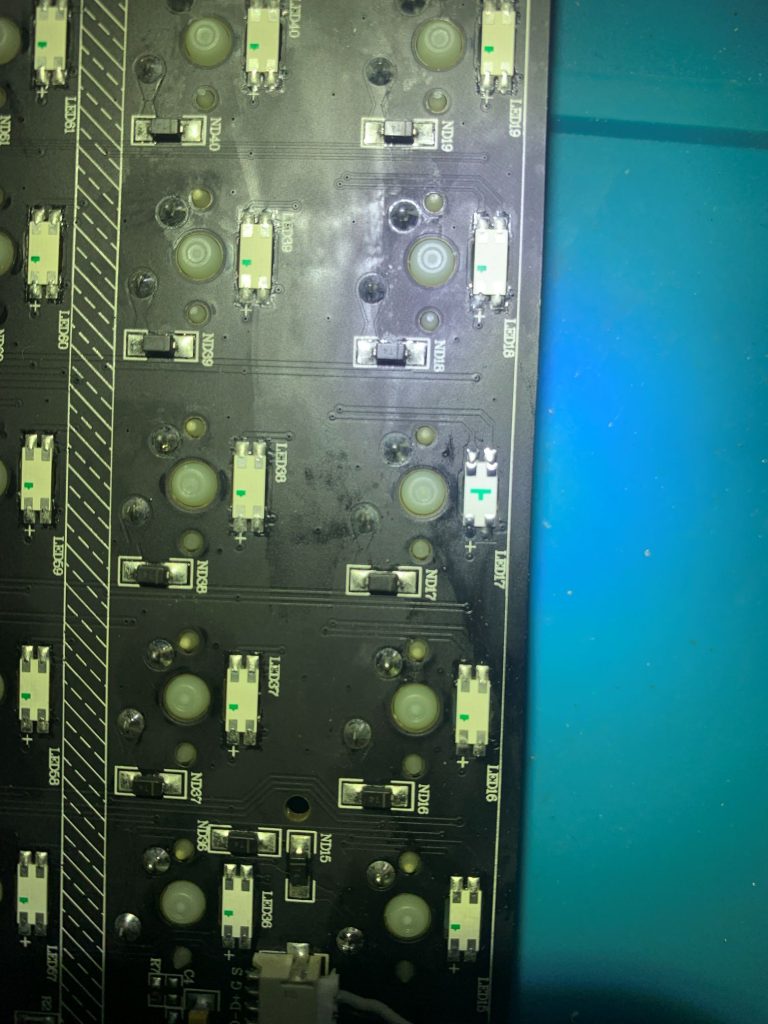
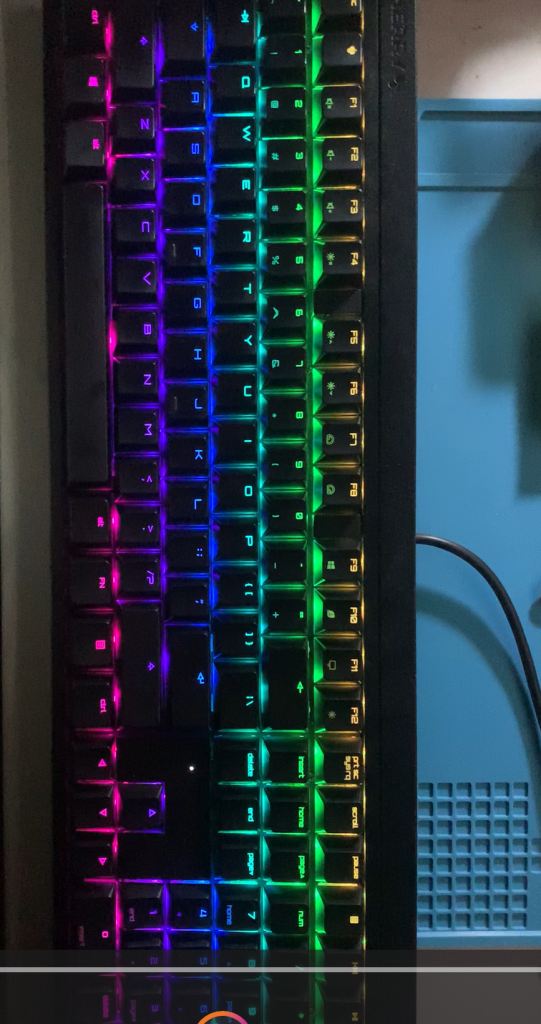
Finally I spent a few yuan to buy replacement 5628 LEDs. After replacing both removed LEDs with new ones, powering on—OK, fault repaired. My MX2.0S RGB is back to normal again.
博主友情提示:
如您在评论中需要提及如QQ号、电子邮件地址或其他隐私敏感信息,欢迎使用>>博主专用加密工具v3<<处理后发布,原文只有博主可以看到。