UE4 4.26.0, VS 2019 Community, and Chinese Win10 20H2 together produced the problem discussed today: when Compile errors occur, the log messages in Chinese are garbled:
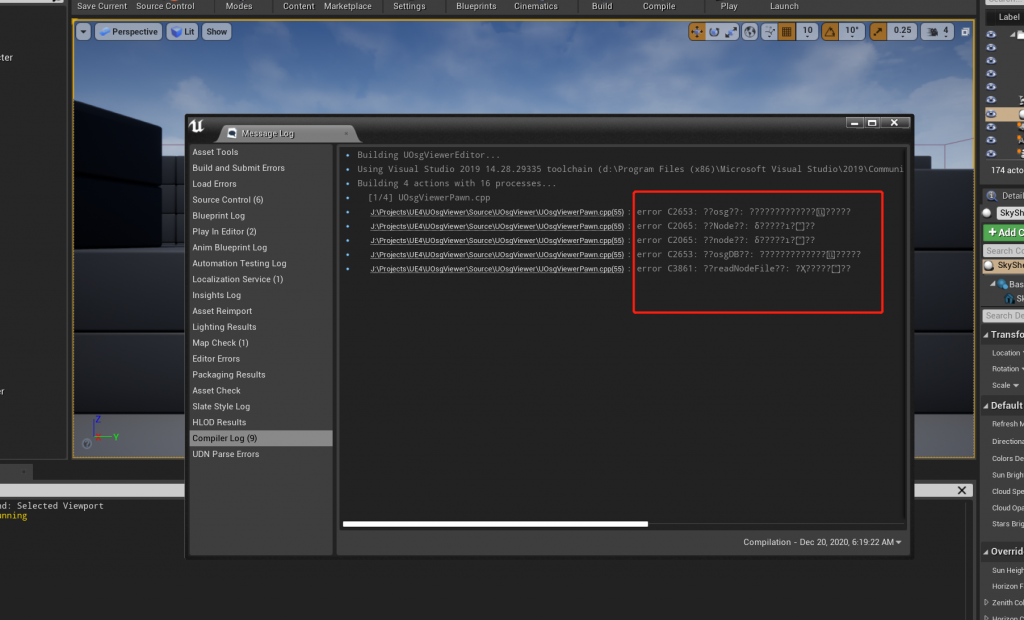
I tried switching VS language to English and UE4 language to Chinese, neither worked. I recalled a previous issue: Android Studio的Build Output中文输出乱码(菱形问号)问题的解决方法, and wondered if UE4 had similar settings. After searching without success, I discovered that in newer Win10 (not sure which version first added it) there is a UTF‑8 option in regional language settings. Although in 20H2 it is still labeled beta, it indeed solves the problem:
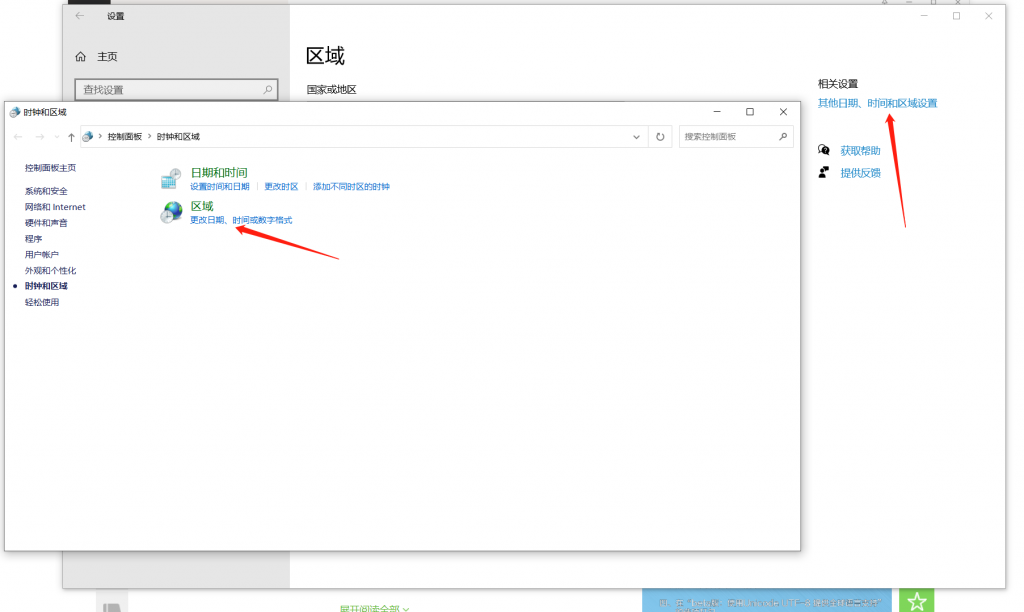
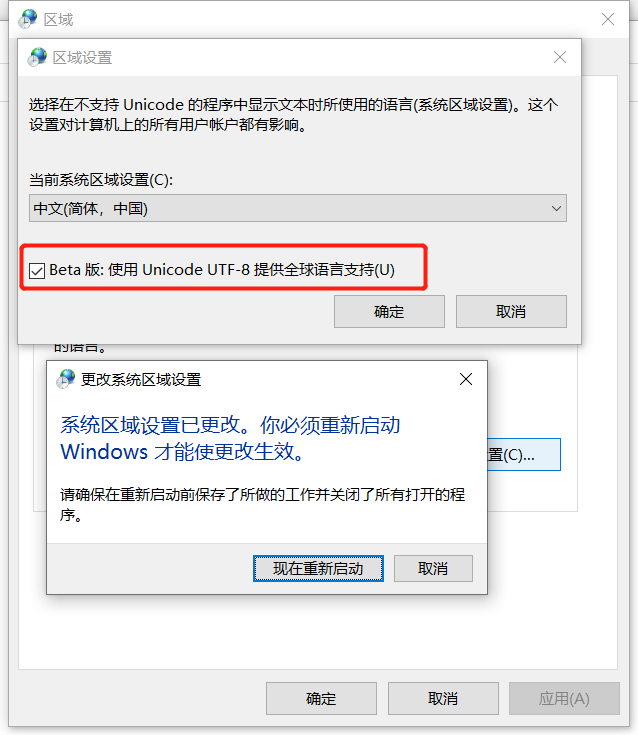
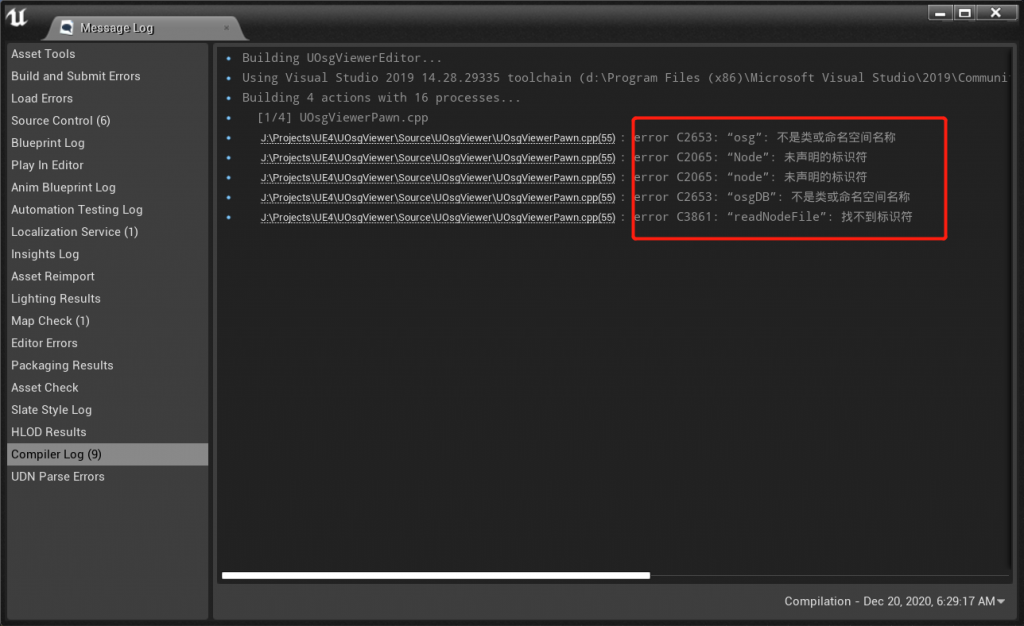
As shown above, after checking UTF‑8 global language support and rebooting, starting UE4 and compiling a project with errors shows normal Chinese messages:
UPDATE1: After using for some time, I found enabling this beta option may cause some software to display Chinese incorrectly…
博主友情提示:
如您在评论中需要提及如QQ号、电子邮件地址或其他隐私敏感信息,欢迎使用>>博主专用加密工具v3<<处理后发布,原文只有博主可以看到。