Around February 2024 I traded in my ten‑year‑old MacBook Air 2013 for a Lenovo ThinkBook 14+ 2024 U7 version (certified model: ThinkBook 14 G6+ IMH). After using it for some time, aside from slightly rough build quality (uneven screen hinge, keyboard not perfectly level on the C‑side), the functionality and performance were quite good. Since I mainly use a desktop at home, this laptop spends most of its time in standby. Recently, however, I noticed that in shutdown state the battery drains rather quickly, on average 1%–3% per day. Searching online, I found many reports of similar issues from other laptop users, for example: https://learn.microsoft.com/zh-cn/answers/questions/5562378/win11,https://tieba.baidu.com/p/7795883672 and many more. These laptops show continuous battery drain after shutdown, and in Windows 11 battery usage records the screen is shown as being on for nearly 24 hours during shutdown periods.
Observing my ThinkBook, I found the same phenomenon. I tried various solutions suggested online, such as disabling fast startup or shutting down with Shift+click, but none worked. In fact, they caused other problems, like disabling fast startup making cold boot painfully slow, reminiscent of Vista or Windows 7. 😂 I even saw someone online suggesting disconnecting the laptop screen cable to fix it, which is extreme.
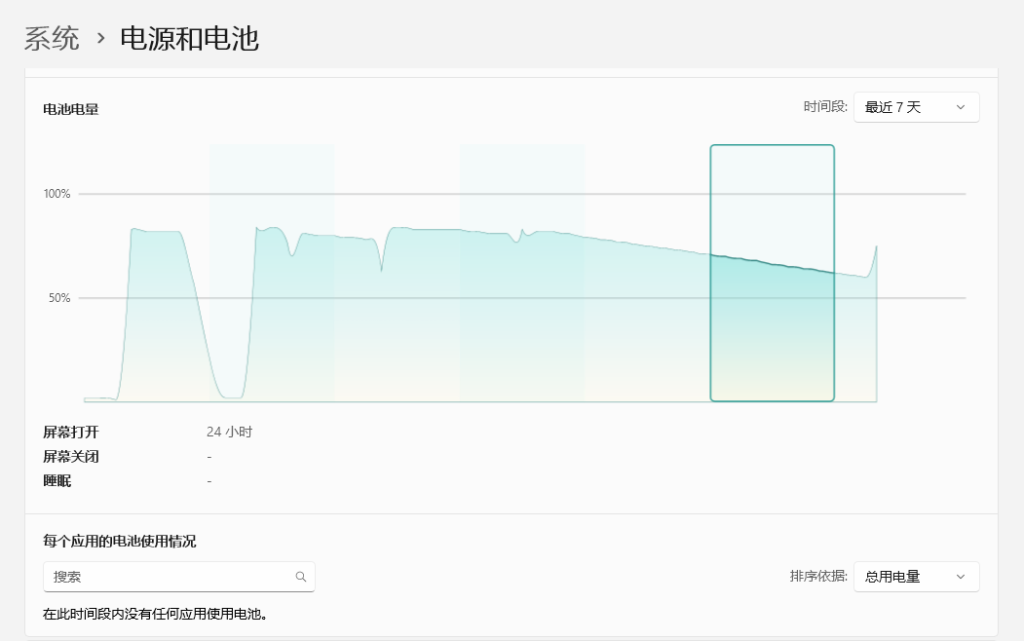
As shown in the screenshot, the computer was shut down for a day, but the battery usage record showed the screen on for 24 hours, and the remaining charge continuously dropping.
Eventually I discovered the real cause: modern laptops have a shutdown USB charging feature. This allows the laptop to act as a temporary power bank, useful when traveling, but in everyday use it causes the battery drain described here. Referencing Lenovo’s official knowledge base: https://iknow.lenovo.com.cn/detail/190257, I entered BIOS (on ThinkBook 14+ 2024 press F1 at startup) and disabled ‘Always On USB‘. After applying, I tested by plugging a phone into the USB‑C port while the laptop was shut down, and confirmed no charging occurred. After leaving the laptop shut down for a while, then checking battery usage records, there was no longer a 24‑hour screen‑on entry.
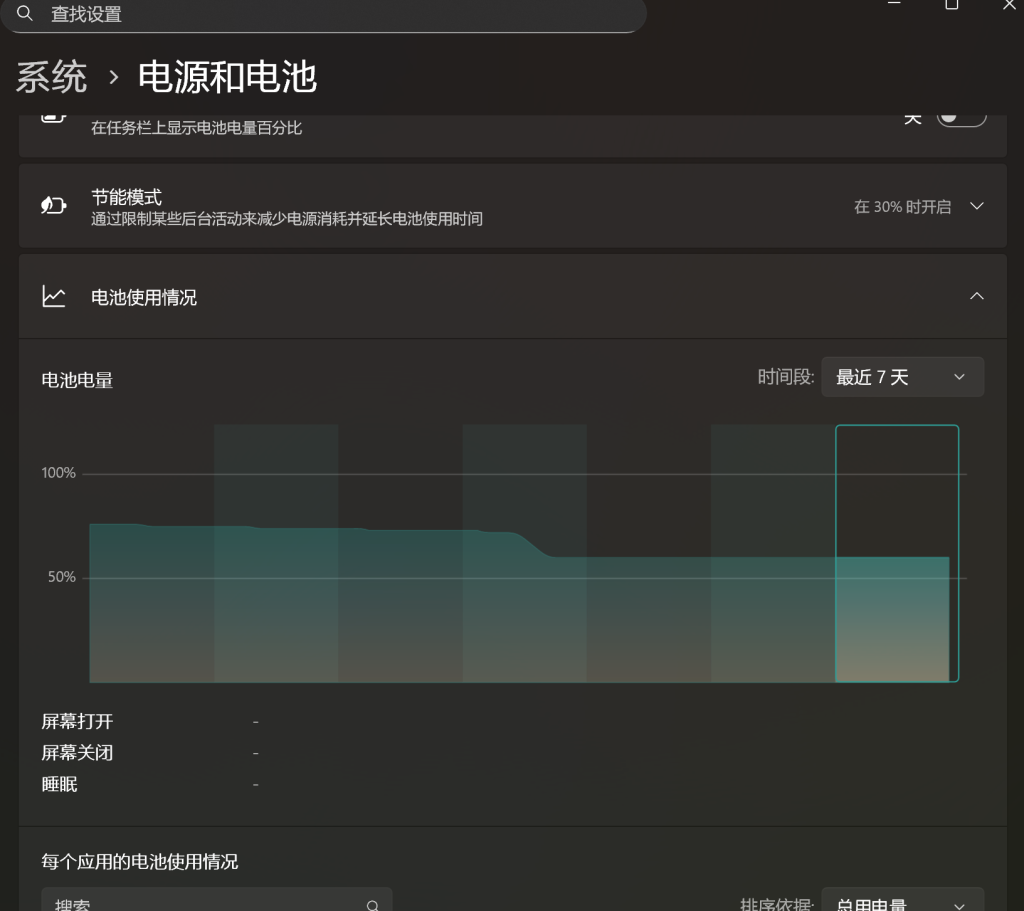
With this setting disabled, shutdown battery drain became minimal (not zero, but less than 1% per day).
One note: I found that sometimes this BIOS option gets reset to enabled after system or Lenovo software updates. It may also have been reset when I accidentally restored BIOS defaults while experimenting. So it is worth checking occasionally whether the battery usage record shows abnormal screen‑on time, or simply testing by plugging in a USB device while shut down to see if charging resumes. Otherwise, the shutdown battery drain issue may return.
博主友情提示:
如您在评论中需要提及如QQ号、电子邮件地址或其他隐私敏感信息,欢迎使用>>博主专用加密工具v3<<处理后发布,原文只有博主可以看到。